Best AI Photo Editor No Sign-Up: 9 Tools Tested (2026)
We ran the same two edits through nine no-sign-up AI photo editors. See which passed, where the free limits are, and which one failed both tasks.
The best AI photo editor with no sign-up depends on the job. In our November 2026 test of nine tools, PicOnTap and PhotoGPT kept the most detail, PhotoEditorAI and EzCreate passed both tasks with no block after four submissions, ImgVX works on your own device, and IObit failed both tasks.
For a careful edit today, PicOnTap's free AI image editor starts you with free daily credits, adds no watermark and gives you a full-size download.
Disclosure and method: the PicOnTap Team wrote this, and PicOnTap is one of the nine tools, so check our quality calls against the images below. We ran every test on November 5, 2026 and read each limit from the tool's own page that day. The one difference in setup is explained under "How we tested".
TL;DR
- Most detail kept: PicOnTap and PhotoGPT, in our judgment. PicOnTap passed both tasks, gives every visitor free daily credits and adds 6 bonus credits with a verified email; PhotoGPT stopped us after one edit.
- Most usable free edits: PhotoEditorAI and EzCreate passed both tasks and showed no block after four submissions each.
- Largest free file: EzCreate, at 2312×1551, though it looks upscaled and soft up close.
- Most private: ImgVX, which says its AI runs in your browser. You brush the area by hand and there is no prompt box.
- Slowest: FastImg, 18 minutes and 7 minutes for its two edits, though it promises unlimited use.
- Failed both tasks: IObit left the spoon on the table and left the harbor in daylight.
How we tested
We picked the tools that rank on Google for "AI photo editor no sign up" or were named in no-account recommendations, then kept the ones that promise no sign-up in their own page title.
- Images: two AI-generated photos, 1200×805, with no real people.
- Task 1, object removal: "Remove the salt shaker and the spoon from the table. Keep the jam jar and its paper lid, the plate, the croissant, the napkin and the rosemary unchanged in shape and position."
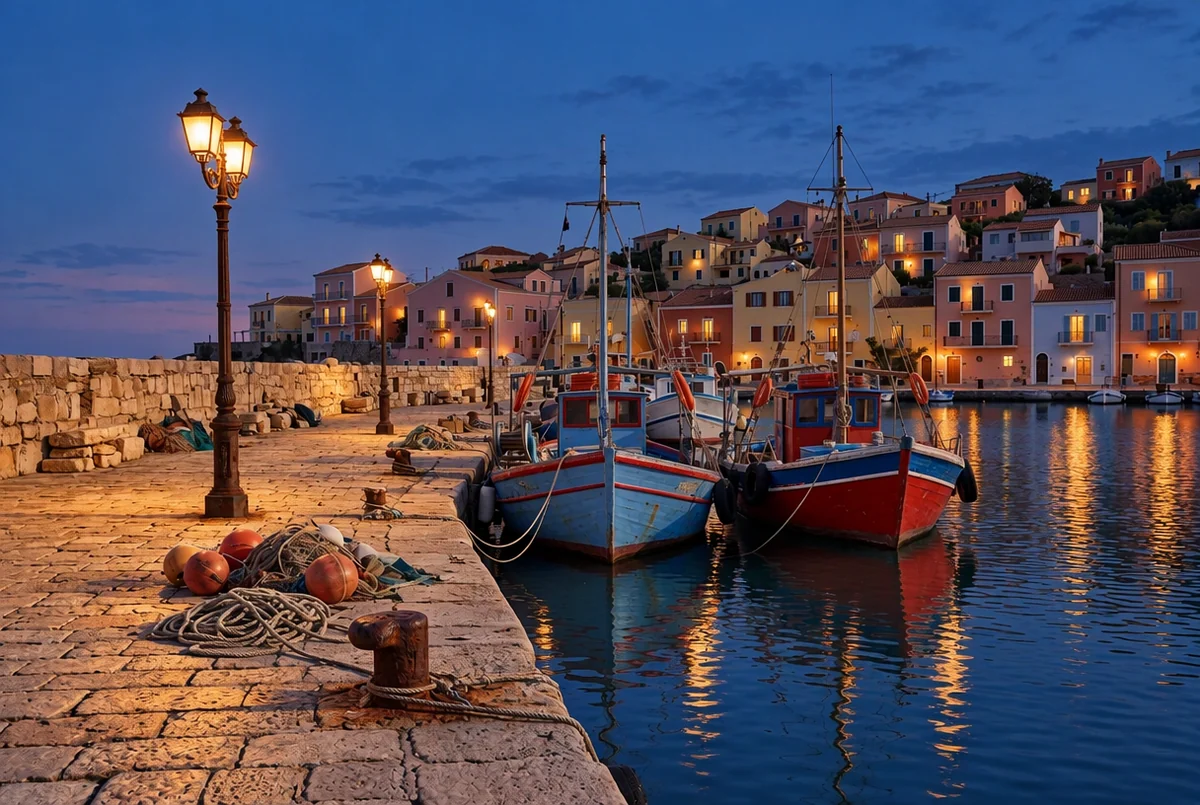
- Task 2, relighting: "Turn the scene into blue hour just after sunset: switch on the street lamps and light a few house windows warmly, with soft reflections in the water. Keep both boats, the ropes, the buoys and the bollard unchanged."
- Settings: default model and settings, one run per task, no retries. The third-party tools ran as a guest in a browser not signed in to any of them.
- Passing: the requested change happened and the named objects and framing stayed. We marked a result partial when only part of that held.
PicOnTap's runs: we used our own team credits, with the same default model and settings and the same 2 credits per edit that any visitor pays.
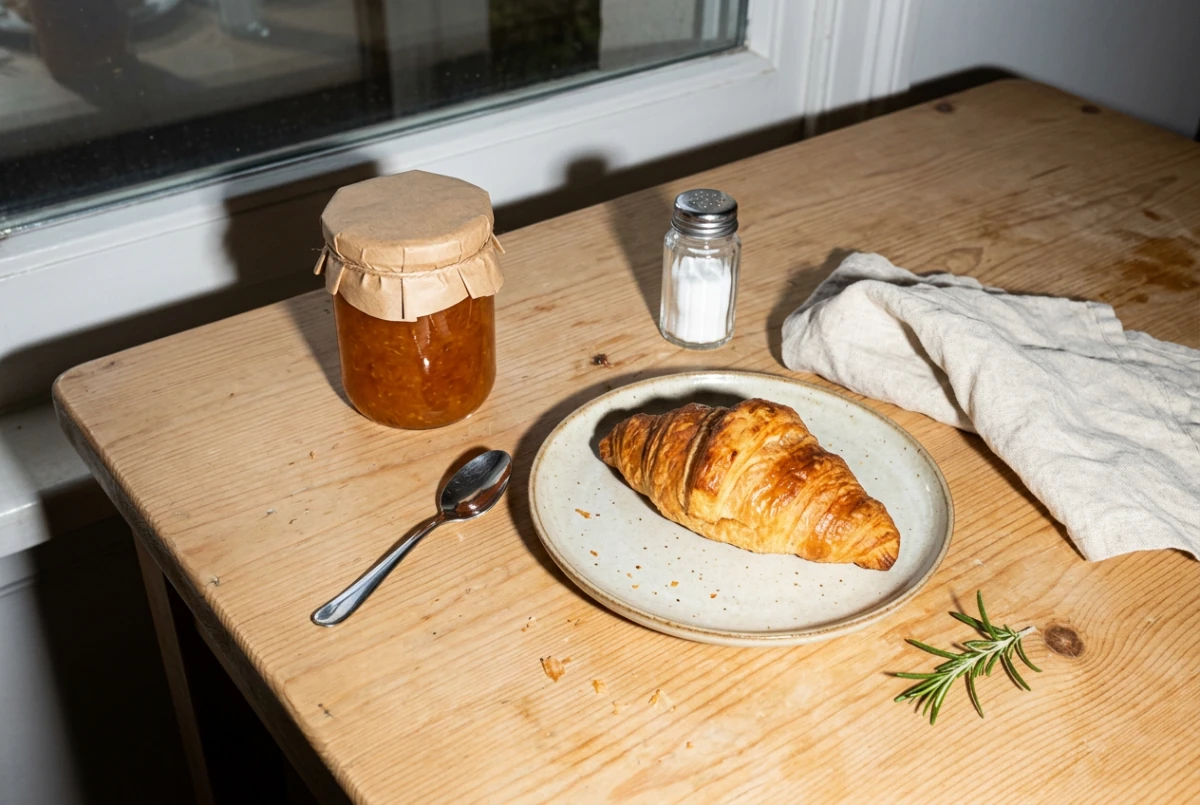 Task 1 original: AI-generated. The salt shaker and the spoon should disappear.
Results: the nine tools we tested
PicOnTap: most detail, framing unchanged
PicOnTap is a browser-based AI image editor: upload a photo and describe the change in a sentence to remove objects, replace backgrounds, recolor details or restore old photos. It passed both tasks at 1216×816 with GPT Image 2.5, the default model, in about 65 to 80 seconds. Wood grain and crumbs held up best in our view, and the framing did not move.
You also get no watermark, a full-size download, a before-and-after comparison, an area brush for precise edits, and your credits back if an edit fails for technical reasons. Every visitor gets 2 free credits per UTC day, enough for one 1K edit, with no credit card. Verifying an email adds 6 bonus credits for 7 days, enough for three more. The daily allowance is shared per network and can run out on busy days.
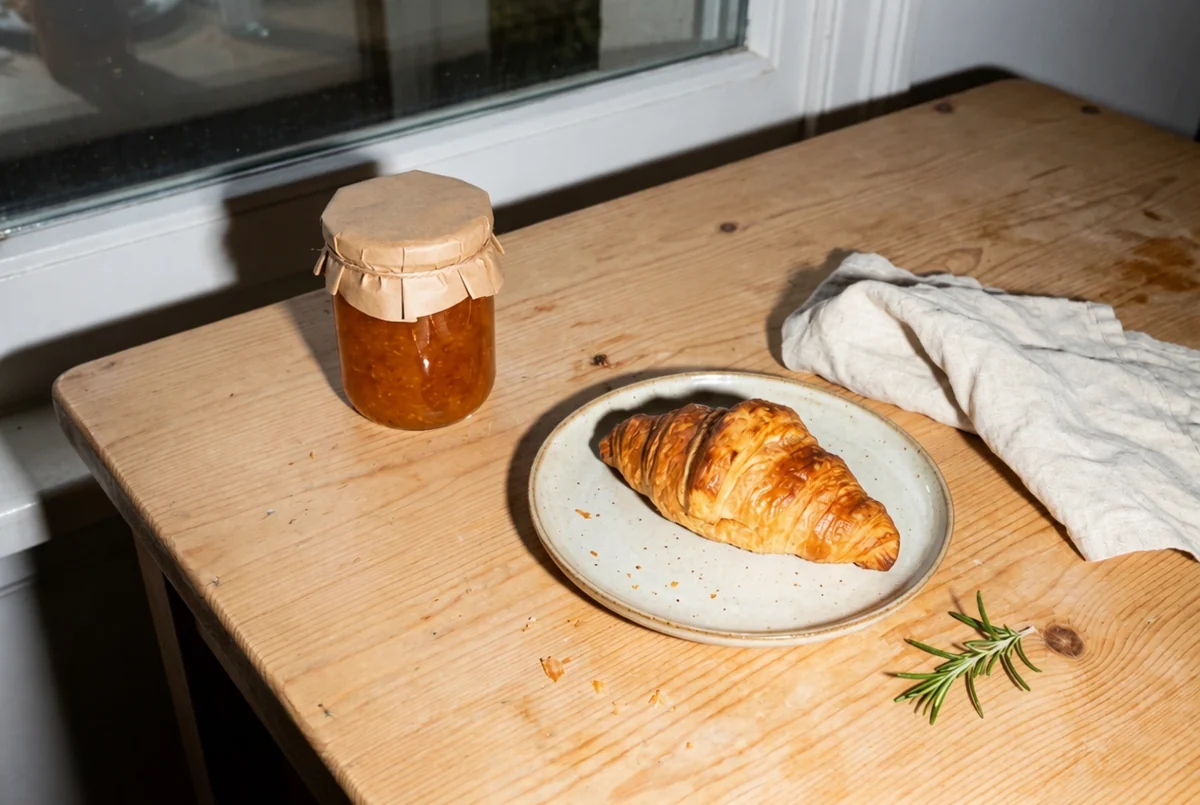 Original: AI-generated. Result: a real GPT Image 2.5 edit in PicOnTap, November 5, 2026.
PhotoEditorAI: best for several free edits
It passed both tasks at 1216×816 with no watermark. The timed edit took 33 seconds. The button reads "2 credits" and a counter sits in the header, but four submissions in a row brought no block. We confirmed the results of the first two only. Results are slightly soft.
EzCreate: largest free file
It passed both tasks, and task 1 took 63 seconds. Files came back at 2312×1551, the largest here, but enlarging them shows a smoothed, upscaled look and the jar lid changed slightly. Four submissions brought no block. The page promotes a paid pack of 2,000 credits for $38.90.
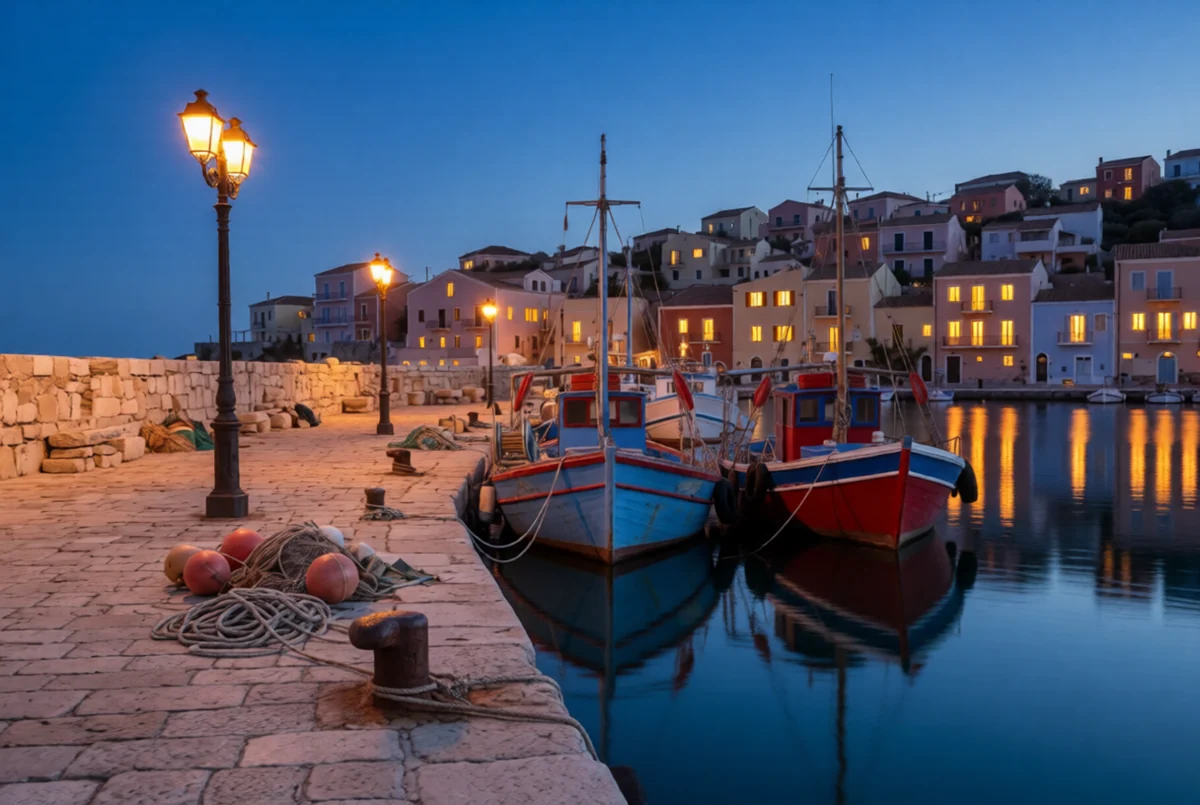 Original: AI-generated. Result: a real EzCreate edit, November 5, 2026, resized for this page.
PhotoGPT: good result, one edit
Task 1 passed at 1024×672 with clean detail, using the page's default model, GPT Image 2.5 Flare, which is labeled paid. The second edit returned "Not enough credits. Please log in to continue using." So task 2 was not run. We did not try a cheaper model.
Magic Hour: clear limit, small files
It passed both tasks and tells you plainly: "3 images left today". The catch is size, because guest results came back at 640×416. It also shows a sign-up prompt that can be closed while the image generates, and our second edit waited in a queue for several minutes. Its separate create page does require an account.
EzMaker: free, but with a queue
Task 1 passed in about 40 seconds. Task 2 was only partial: the lamps came on, but the windows stayed nearly dark and the water showed no warm reflections. That edit sat at position 54 of 161 in a queue and took several minutes. Four submissions brought no block.
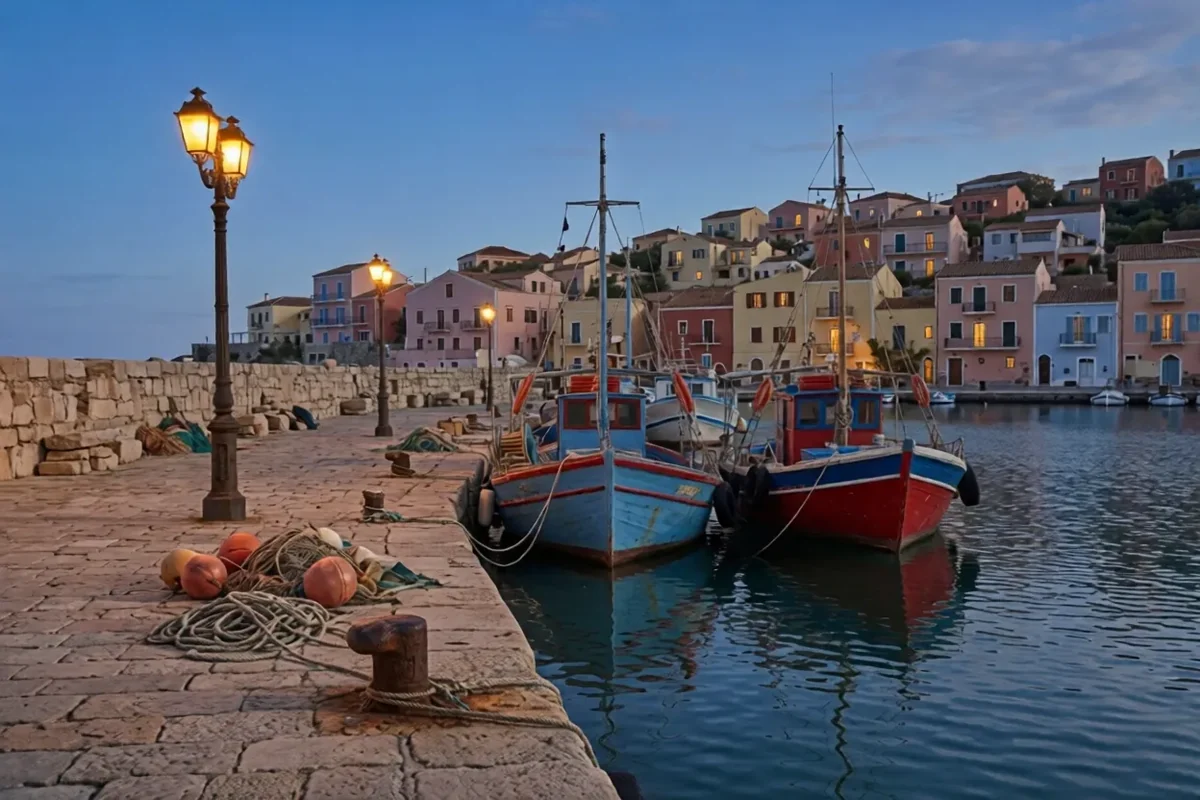 Original: AI-generated. Result: a real EzMaker edit, November 5, 2026, resized for this page. Scored partial.
FastImg: it works, if you can wait
The page promises "Free forever · Unlimited use · No signup · No watermark". Both edits did finish without an account, after the page repeated "Busy right now" for a long time: 1,058 seconds over 32 attempts, then 410 seconds over 13. Task 2 passed. Task 1 removed both objects but shifted the framing, which we scored as partial. Output was 1072×720.
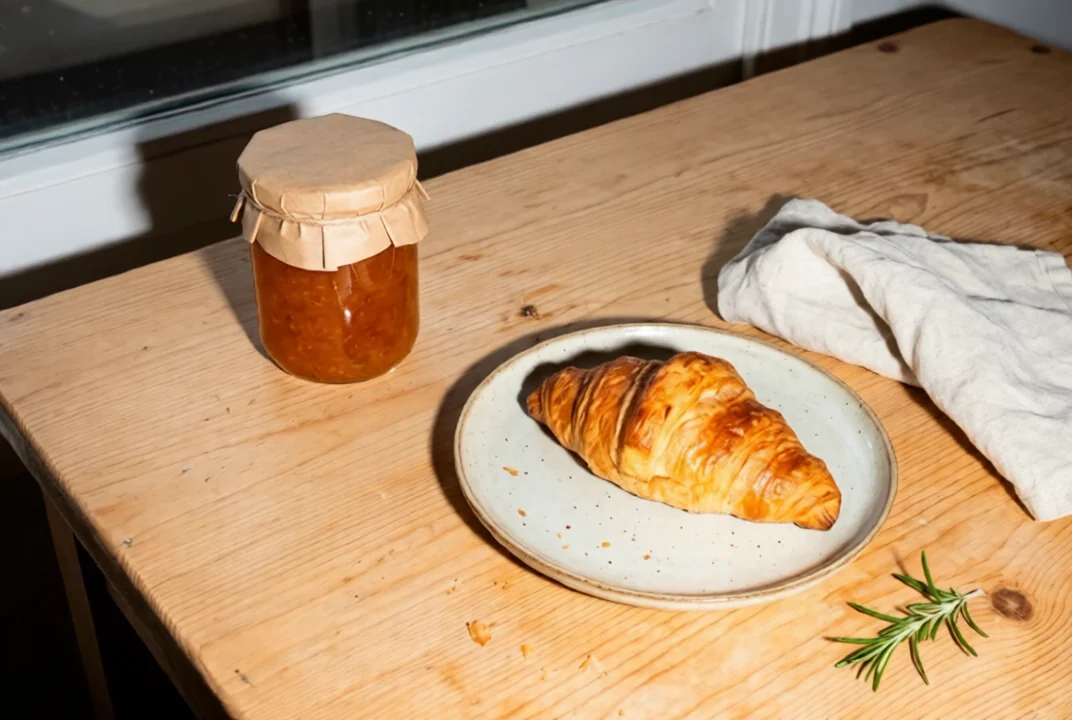 Original: AI-generated. Result: a real FastImg edit, November 5, 2026. Objects removed, framing shifted.
ImgVX: private, but manual
ImgVX is a different kind of tool. Its Object Eraser has no prompt: you paint over each object, and the page says the AI model runs on your device. Task 1 took 33 seconds at the original 1200×805, but left the salt shaker's shadow and a smear by the plate, so we scored it partial. We did not run task 2, because there is no prompt to give it.
IObit: failed both tasks
Task 1 removed the salt shaker but left the spoon. Task 2 lit the lamps and left the scene in full daylight, with no blue hour at all. Each edit took about a minute, output stayed at 1200×805, and four submissions brought no block. One run each is a small sample, so a retry or a different model may do better.
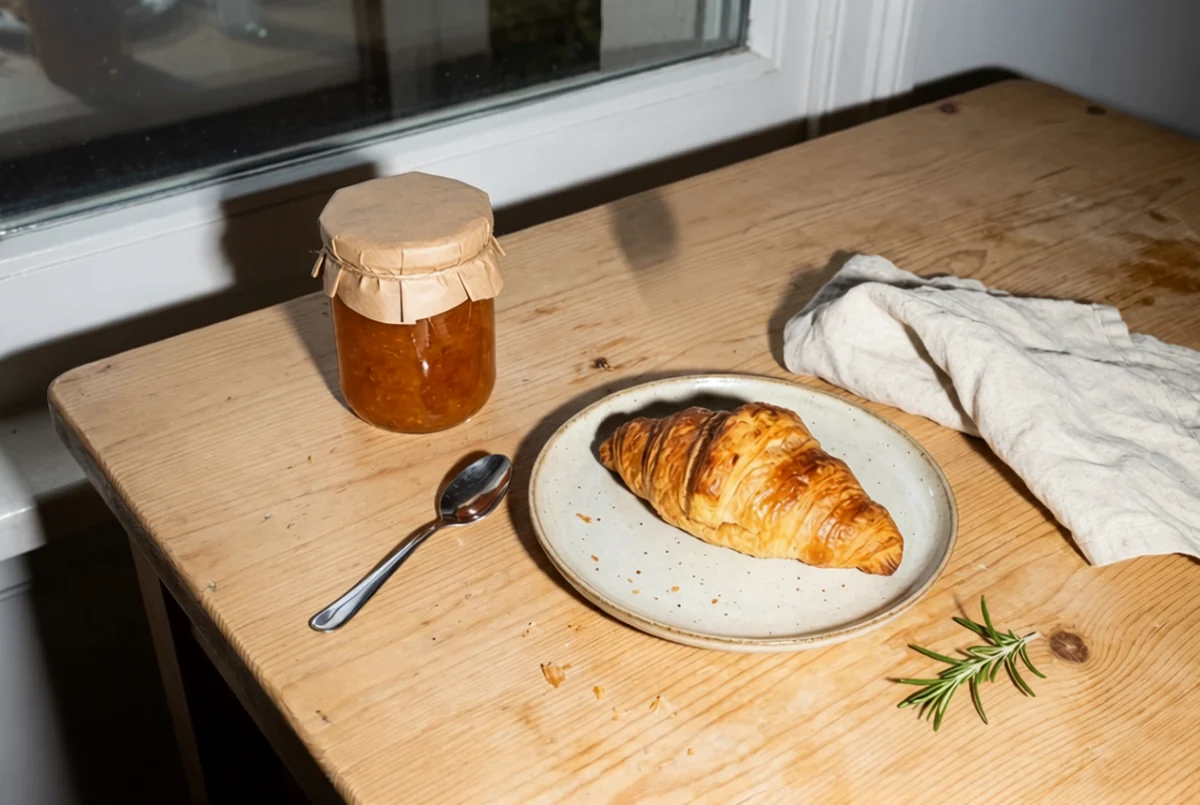 Original: AI-generated. Result: a real IObit edit, November 5, 2026. The spoon stayed.
Is a no-sign-up AI photo editor really free and unlimited?
None of the tools proved unlimited, and most rationed something you could see:
- A count: PicOnTap gives 2 free credits a day (one edit) plus 6 bonus credits with a verified email, Magic Hour three images a day, and PhotoGPT stopped us after one edit.
- A queue: EzMaker and Magic Hour made us wait, and FastImg retried for minutes.
- Smaller files: Magic Hour's guest results were 640×416, and its sign-up panel lists higher resolution as an account benefit.
- Unknown limits: PhotoEditorAI, EzCreate, EzMaker and IObit did not stop us in four submissions, but they may well stop you later. We did not test past four.
None of the results we downloaded carried a visible watermark.
Are these tools really different products?
Not always. EzMaker, EzCreate and PhotoEditorAI use the same prompt placeholder and the same five example buttons, and PhotoEditorAI and EzCreate deliver results from the same image host. EzMaker and PhotoEditorAI also returned near-identical results for task 1. We did not confirm who owns them, but if one is busy or blocks you, the next may not be an independent second opinion.
How to choose
- You need an edit with fine detail: try PicOnTap's free AI image editor or PhotoGPT.
- You need several edits today: start with PhotoEditorAI, then EzCreate.
- The photo is private: use ImgVX, and accept brushing by hand and rougher results.
- You have time and no budget: leave FastImg running in a tab.
- You need a file larger than 1K, free: EzCreate, but inspect it at full size.
If you need help writing the request, our guide to image editing prompts covers what to say and what to protect. For design-led work, see Canva vs Pixlr.
Limits of this test: two images, one run per task, one day, one network. Queues and free limits change, so treat these as a snapshot.
FAQ
Can I edit a photo with AI without creating an account?
Yes. All nine tools offer a way to edit with no account, and eight finished an edit for us that way. PicOnTap gives every visitor 2 free credits a day, enough for one edit, and we ran its test on team credits.
Which free AI photo editor has no watermark?
None of the nine added a visible watermark to the results we downloaded. A "no watermark" promise doesn't say anything about size, though: Magic Hour's guest output was only 640×416.
Are my photos private on free AI editors?
Assume not, unless the tool runs on your device. Most of these results were reachable from a direct link with no login when we downloaded them, and we did not audit anyone's retention. PicOnTap keeps uploads private by default. Avoid uploading sensitive photos, and use ImgVX if privacy comes first.
Why does a free tool say I have no credits on my first visit?
Some limits follow your network, not your browser. PicOnTap shares one daily allowance per network, so someone on your Wi-Fi may already have used it. It resets at 00:00 UTC.
What is the best free alternative when ChatGPT hits its image limit?
For a careful edit, try PicOnTap or PhotoGPT. For a few more edits, try PhotoEditorAI or EzCreate. Results vary by run, so try two if the first misses.
Try it on your own photo
The fairest test is your own photo and your own sentence: run it through two of these tools and compare. To start with ours, open the free AI image editor, add a photo and describe the change, with no account needed.
Sources
All pages opened and all tests run on November 5, 2026.