Edit photos with GPT Image 2.5
Upload an existing image, describe what to change and what to preserve, then inspect materials and edges up close.
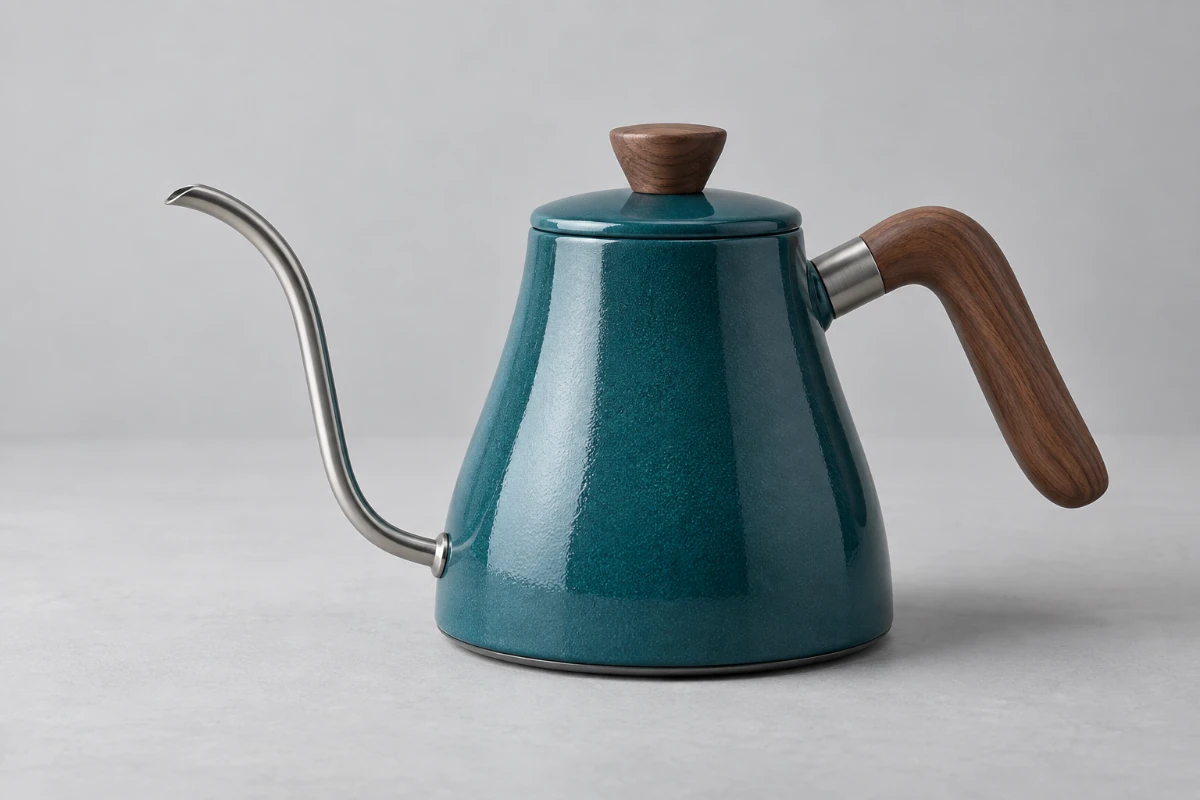
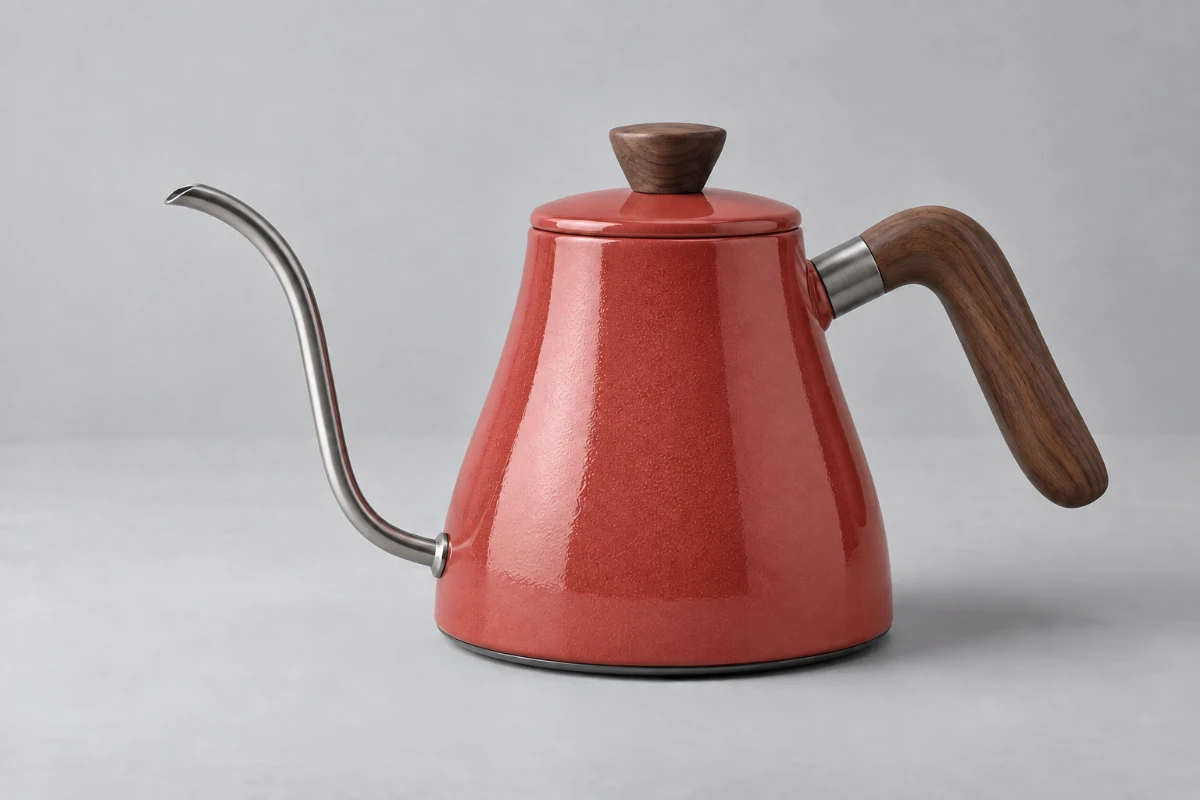
AI-created creative examples, not verified outputs from the selected model.
Change the detail. Keep the intention.
Upload an existing image, describe what to change and what to preserve, then inspect materials and edges up close.
What changes
Change the teal kettle body and lid to coral red.
What stays
The wooden handle and knob, steel spout, silhouette, camera angle and gray background.
A closer look at the edit.
Inspect color, material boundaries and unchanged areas together. A successful edit needs both the change and the context to work.
- Look for natural enamel grain, highlights and shading after the color change.
- Check where wood meets metal for color spill, blur or changes in shape.
- Inspect the spout and backdrop for unintended changes to details that already worked.
From appearance changes to local repairs.
For color, distractions or surface blemishes: name the object, describe the change and specify what to preserve. Check recognizable features when working with people or products.
Try the approach on different images
Each case has its own original and prompt. Try one, then adjust the instructions.
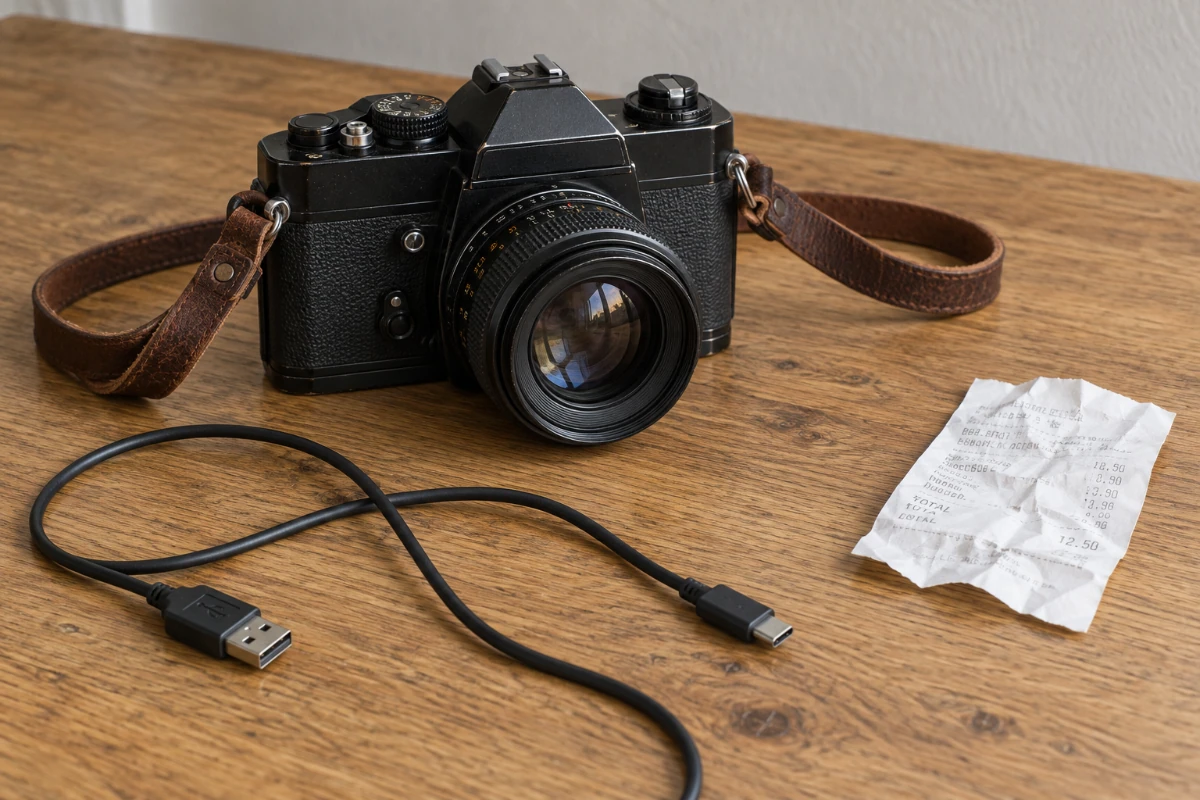
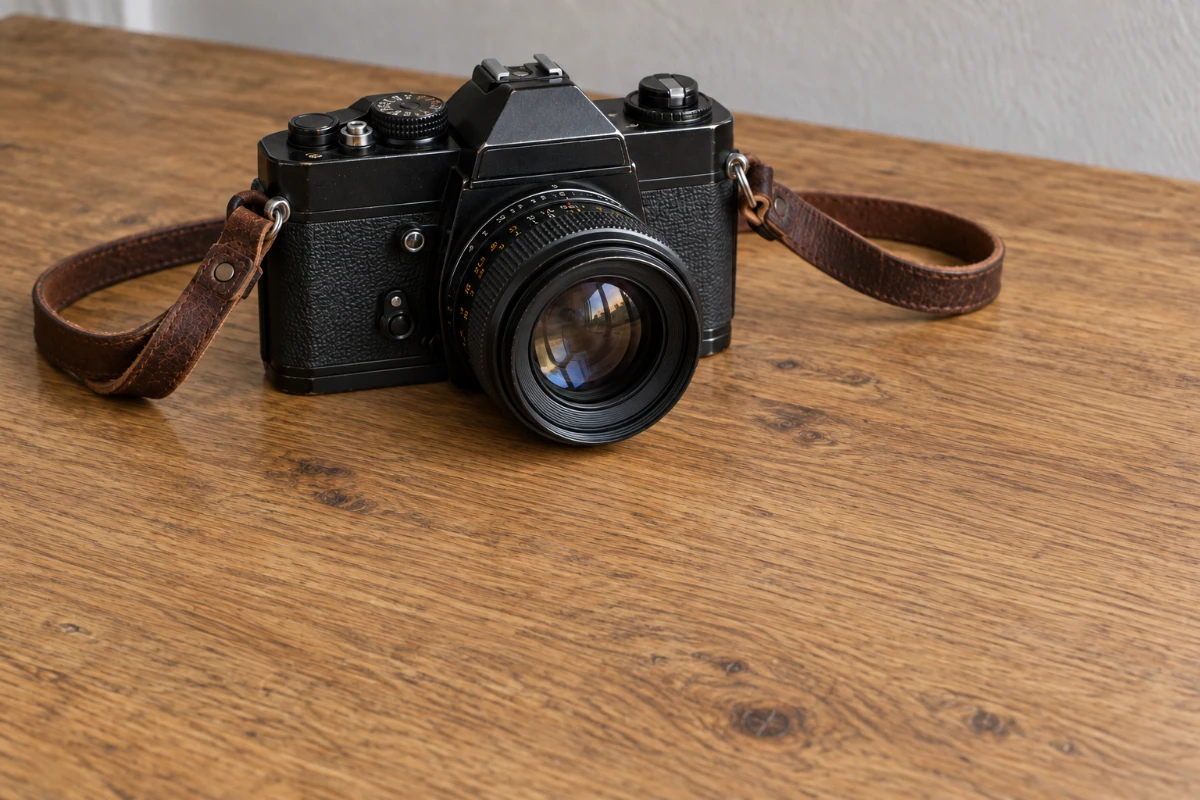
Remove distractions, keep the subject
Remove the cable and receipt while preserving the camera and its leather strap.
Remove only the black USB cable and white receipt from the desk, restoring continuous natural wood grain. Preserve the camera, lens details and lettering, brown leather strap, lighting, position and background. Do not remove or shorten the strap.
Loads the original and prompt. Credits are used when you submit an edit.
Creative scene illustration, not a verified output from this model.
Turn “make it better” into a checkable instruction.
A vague request
Make this kettle look better.
A specific request
Change only the teal kettle body and lid to coral red. Preserve the wooden handle and knob, steel spout, silhouette, lighting, camera angle and background.
What to check in the result
Compare boundaries, textures and unchanged areas against the original. If the shape changes too, narrow the instruction or use a selection to define the area.
View current credits and image requirements
Current rules and image limits
- Model and access
- GPT Image 2.5 · Available · No sign-in required. Use any available model with enough credits.
- Per edit
- 2 credits
- Maximum input
- 10 MiB · PNG, JPEG, WebP
File size, pixel count, edge length and aspect ratio are separate limits. Use a static PNG, JPEG or WebP; GIF and animated images are not supported by the editor.
Photos that already meet the model's requirements are sent as they are; others may be converted once to a format the model accepts. The result comes back in the model's own format and size, which may differ from your original. Background replacement does not create a transparent cutout. Photo restoration may reconstruct details.
Browsing and loading examples do not spend editing credits. A technical failure returns the credits charged for that attempt; a delivered result you dislike is not a technical failure. Check pending returns in the editor.
Current allowances · Getting started · Writing editing instructions
Before you start
GPT Image 2.5
What should I ask to preserve?
Name details you already like that could be affected: product shape, clothing, material or background. Avoid combining many conflicting changes.
How are areas outside a selection preserved?
A selection is a coordinate hint sent with the original image; PicOnTap does not composite the result back into the source. Inspect the whole result, including areas outside the mark.
Is this only for local editing?
No. Precise edits illustrate how to express changes and constraints; the model also supports broader visual edits. This entry point starts with one uploaded image.
When are credits used?
Selecting a model is free. The current edit cost appears in the editor. Credits are held when a task is accepted and settled on delivery; failed edits follow the credit return process.