Edit photos with Nano Banana (Beta)
Start with a person, pet or object. Describe recognizable features, then explore a new place, outfit detail or style.
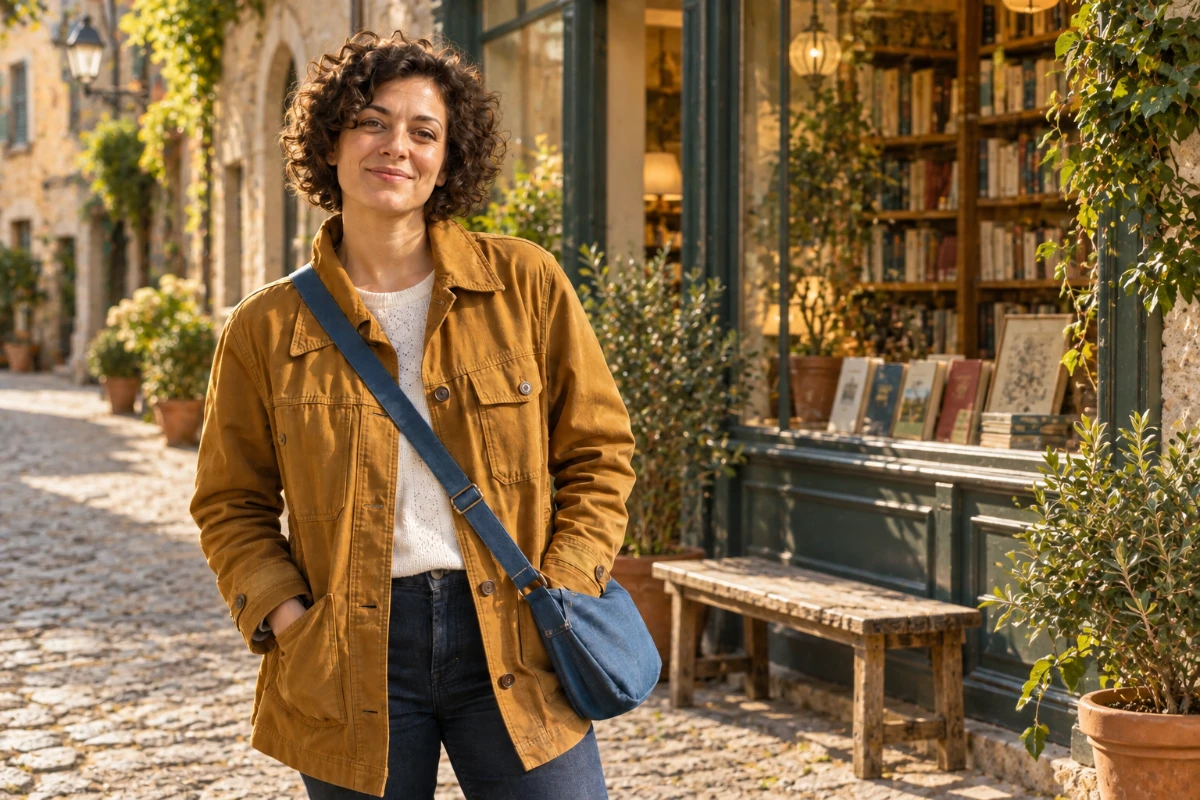
AI-created creative examples, not verified outputs from the selected model.
A familiar subject. A new possibility.
Start with a person, pet or object. Describe recognizable features, then explore a new place, outfit detail or style.
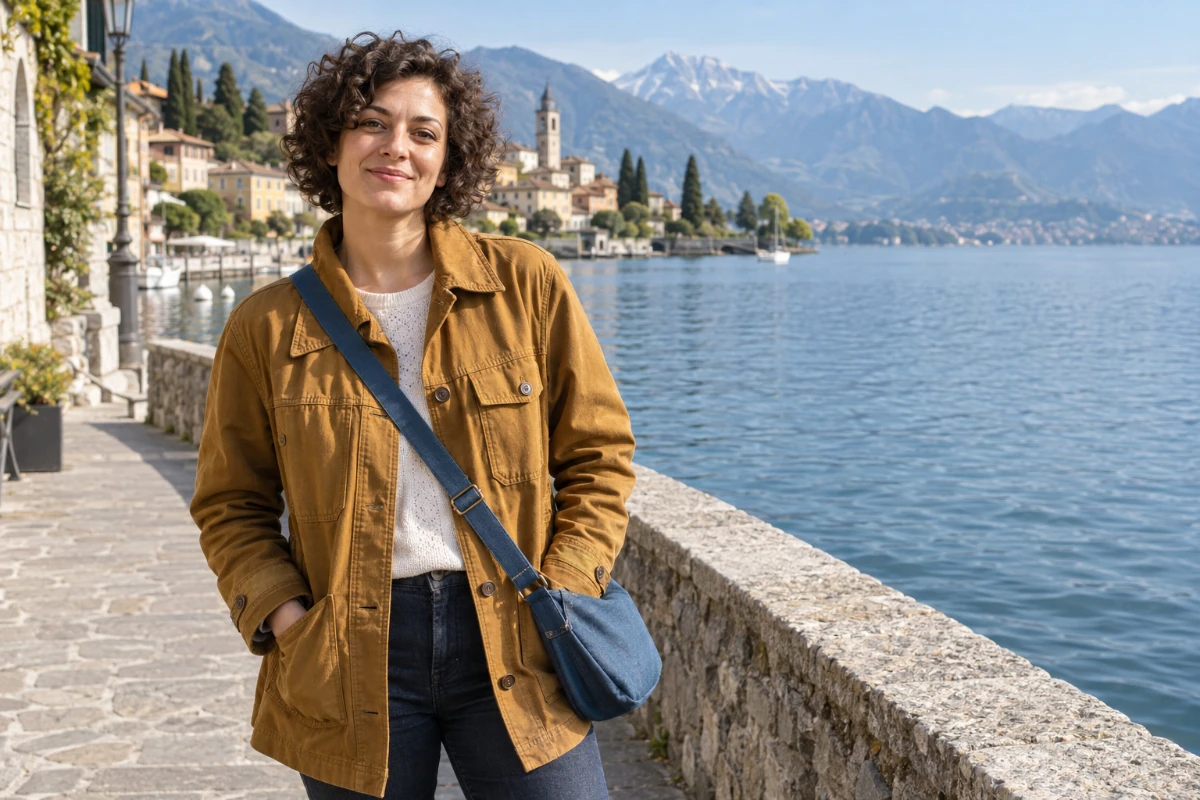
Start with the details that make them familiar.
- Compare the short dark curls, natural expression and facial features with the original.
- An amber corduroy jacket: check the collar, pockets and fabric texture.
- A blue crossbody bag: check strap direction, outline and how it rests against the body.
Where does the story go next?
Choose a place to see how the prompt changes. These are ideas for a future edit, not newly generated results.
Corner bookshop
A quiet cobblestone street, bookshelves behind the shop window, warm afternoon light.
These choices help you write a prompt. They do not submit tasks or generate new results.
Describe the subject, then the next scene.
Place the same woman from the photo in this environment: A quiet cobblestone street, bookshelves behind the shop window, warm afternoon light. Preserve her facial features, short curls, expression, pose, amber jacket, white shirt, dark jeans and blue bag. Match natural lighting and contact shadows. Add no other people or text.
Try the approach on different images
Each case has its own original and prompt. Try one, then adjust the instructions.
Take a familiar toy somewhere new
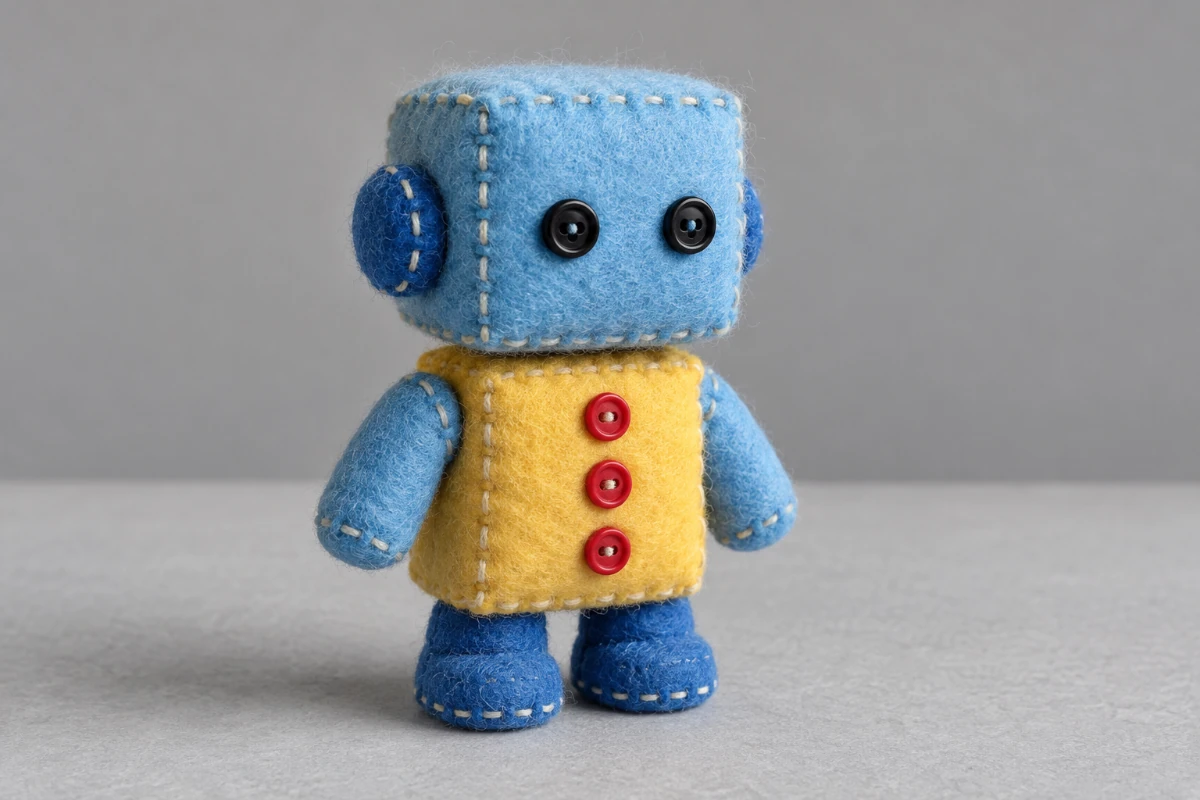
Specify the subject through its colors, button count and stitched seams.
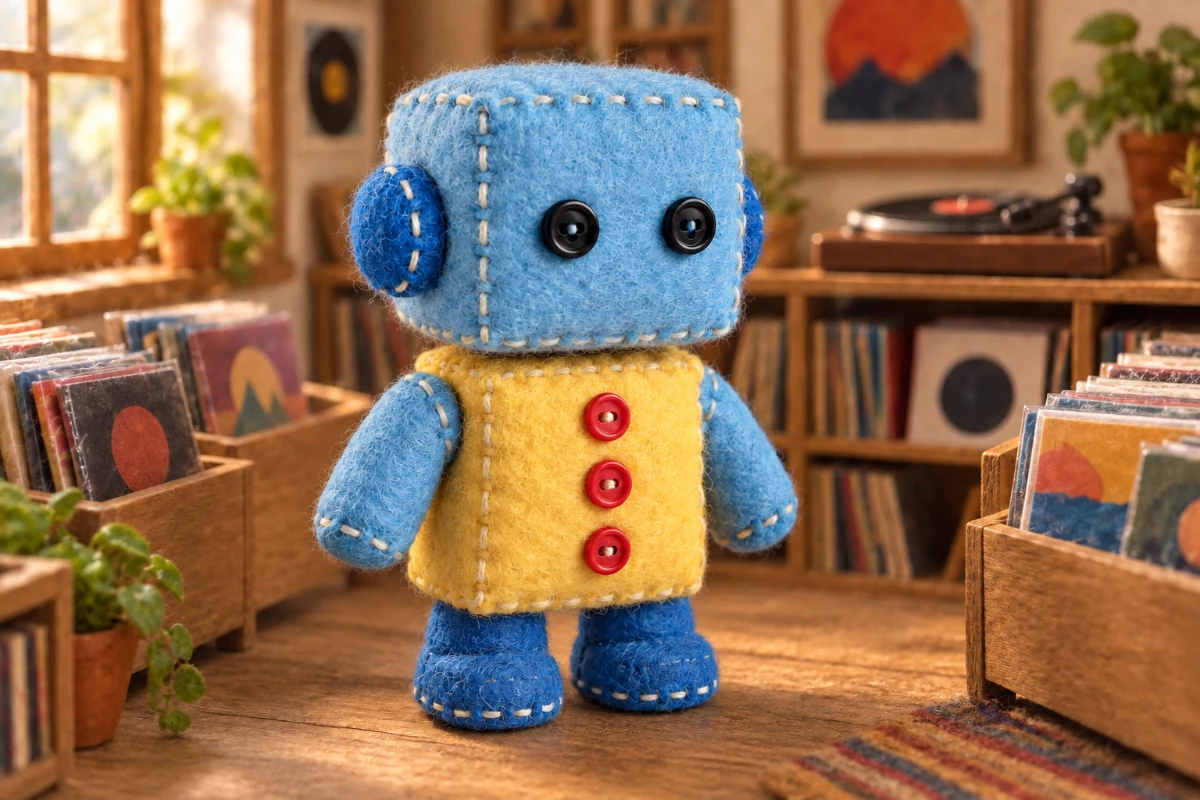
Place this felt robot in a miniature record shop with record bins and a small turntable. Preserve its blue square head, two black button eyes, yellow torso, three vertical red buttons, blue limbs, seams, proportions and pose. Keep it fully visible with natural warm light and contact shadows. Add no text.
Loads the original and prompt. Credits are used when you submit an edit.
Creative scene illustration, not a verified output from this model.
A change can start small.
For backgrounds, describe place and light. For clothing edits, preserve face and pose. For a style change, restate the subject’s outline and accessories. This also works as a prompting approach for pets, toys and products.
What to check in the result
Compare face, outline and accessories. Reuse the same original as a reference when comparing ideas. Each edit is submitted separately.
View current credits and image requirements
Current rules and image limits
- Model and access
- Nano Banana · Available · No sign-in required. Use any available model with enough credits.
- Per edit
- 2 credits
- Maximum input
- 10 MiB · PNG, JPEG, WebP
File size, pixel count, edge length and aspect ratio are separate limits. Use a static PNG, JPEG or WebP; GIF and animated images are not supported by the editor.
Photos that already meet the model's requirements are sent as they are; others may be converted once to a format the model accepts. The result comes back in the model's own format and size, which may differ from your original. Background replacement does not create a transparent cutout. Photo restoration may reconstruct details.
Browsing and loading examples do not spend editing credits. A technical failure returns the credits charged for that attempt; a delivered result you dislike is not a technical failure. Check pending returns in the editor.
Current allowances · Getting started · Writing editing instructions
Before you start
Nano Banana (Beta)
Are these scenes generated together?
No. The scene choices show prompt ideas. PicOnTap takes one original and one instruction per edit, which you submit manually in the editor.
What if the subject’s features change?
Return to the original, reduce the scope and specify key features and pose. Instead of only saying “keep it consistent,” name the hairstyle, clothing color or object outline.
Which Nano Banana version is used here?
Nano Banana (Beta) here corresponds to Gemini 2.5 Flash Image, not Nano Banana Pro or Nano Banana 2. The page does not promise automatic subject memory across tasks.
When are credits used?
Selecting a model is free. The current edit cost appears in the editor. Credits are held when a task is accepted and settled on delivery; failed edits follow the credit return process.