Edit photos with Seedream 5.0 Pro
Upload a sketch, annotated photo or existing design. Specify layout, objects, materials and light. Spatial design is a starting point; the approach also applies to displays and product visuals.
AI-created creative examples, not verified outputs from the selected model.
Give your design idea a clear form.
Upload a sketch, annotated photo or existing design. Specify layout, objects, materials and light. Spatial design is a starting point; the approach also applies to displays and product visuals.
Start with an image that carries your intent.
- Sketch
- Show the main outline, entrance and path, and explain which lines define the layout to preserve.
- Annotated photo
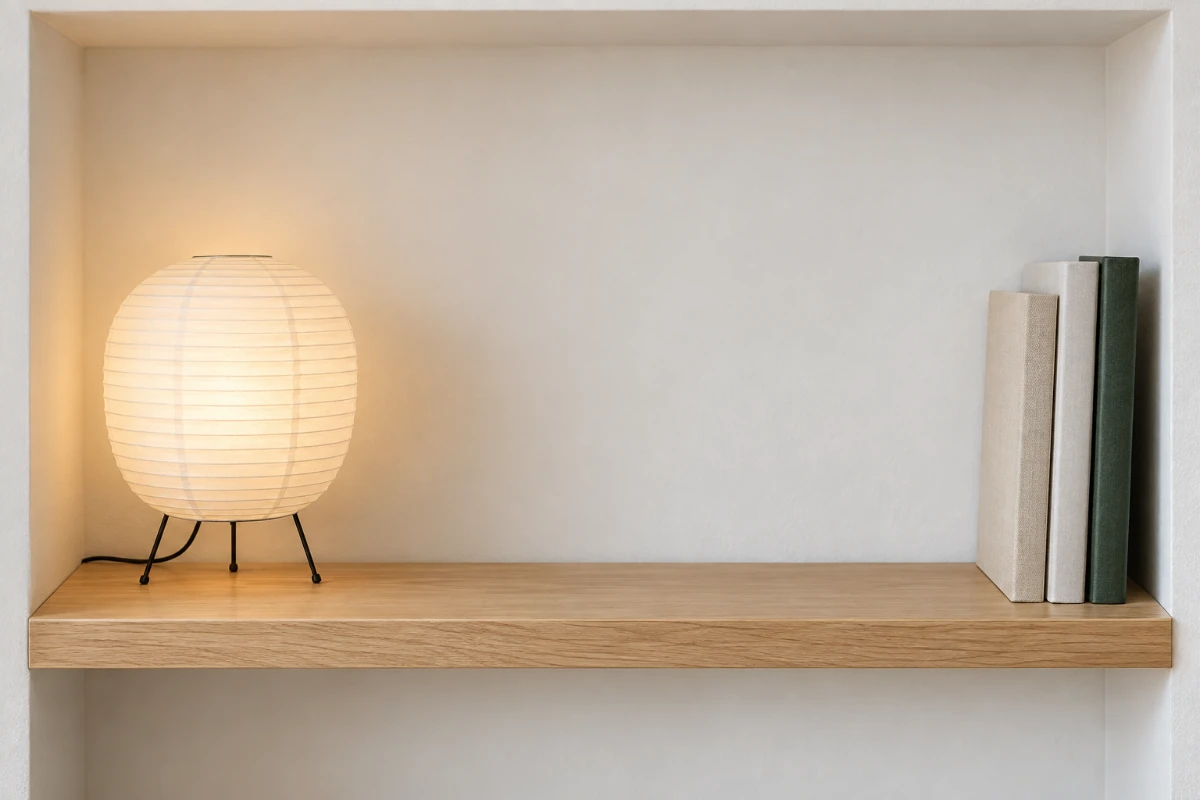
- State position and quantity, such as one paper lamp on the left and three upright art books on the right. Say whether annotations should be removed.
- Existing design
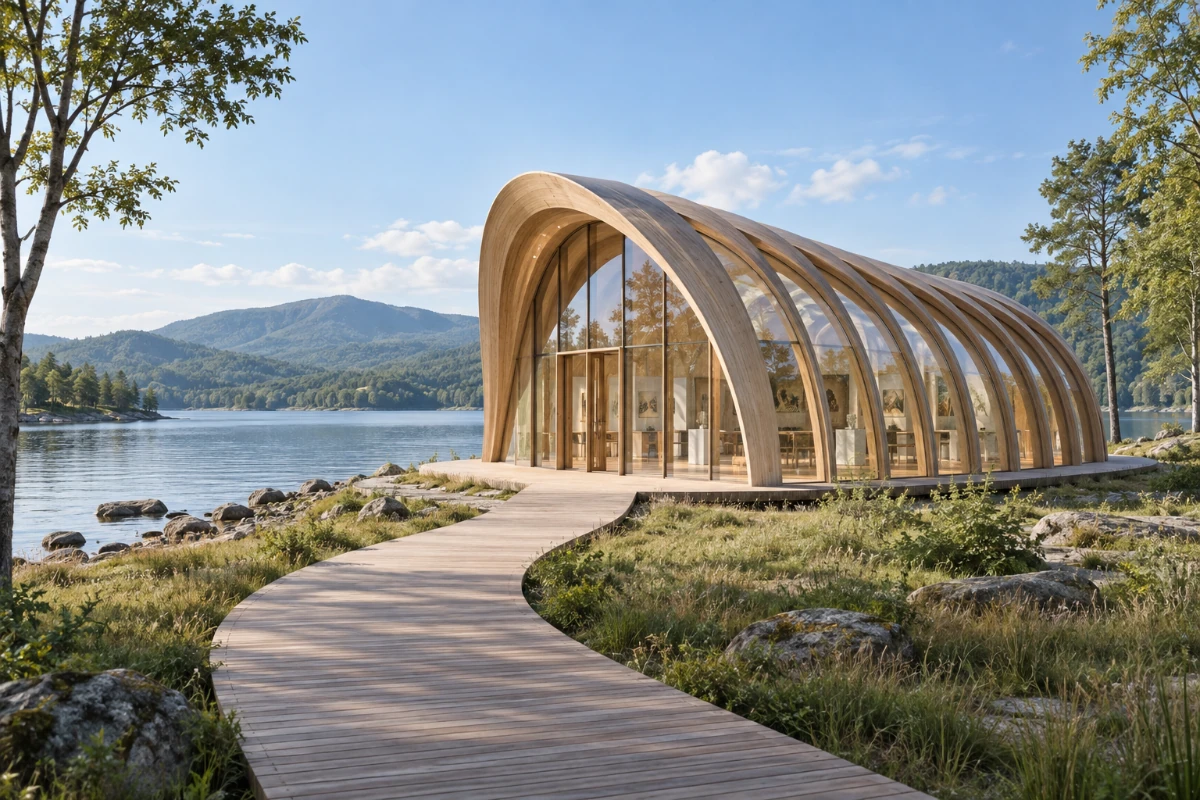
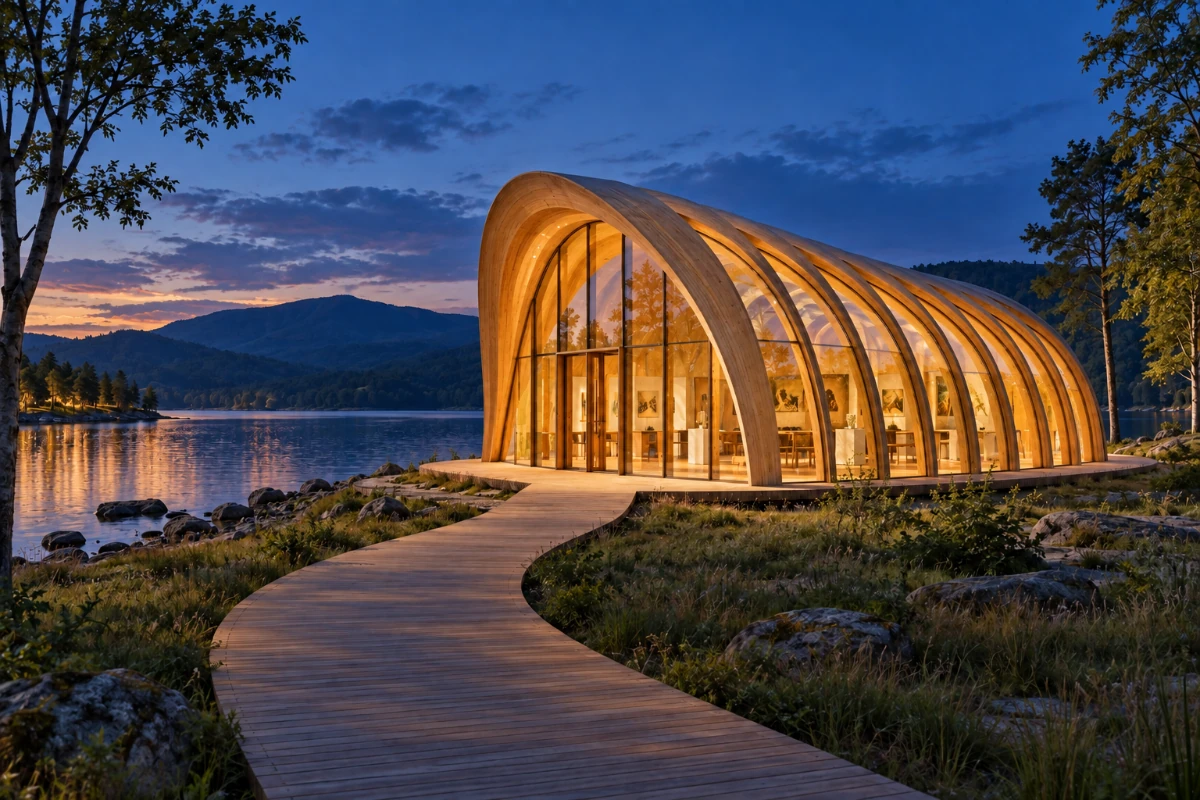
- Keep the structure that already works, then change materials or atmosphere. This illustration starts with a daytime pavilion and explores blue-hour lighting.
Make every requirement visible in the image.
- Preserve the central entrance, curved roof and the path’s relationship to them.
- Check the number, spacing and proportions of the wooden ribs so a lighting change does not inadvertently redesign the structure.
- Keep natural wood grain, clear glazing and plausible reflections.
- Use soft blue twilight outside and warm interior lighting. Check that glass and water reflections agree with the light sources.
Establish the structure, then develop the atmosphere.
Layout defines where objects sit, materials define surfaces, and lighting sets the atmosphere. If requirements conflict, state what takes priority rather than asking for a vague “premium design.”
Try the approach on different images
Each case has its own original and prompt. Try one, then adjust the instructions.
Specify placement and count together
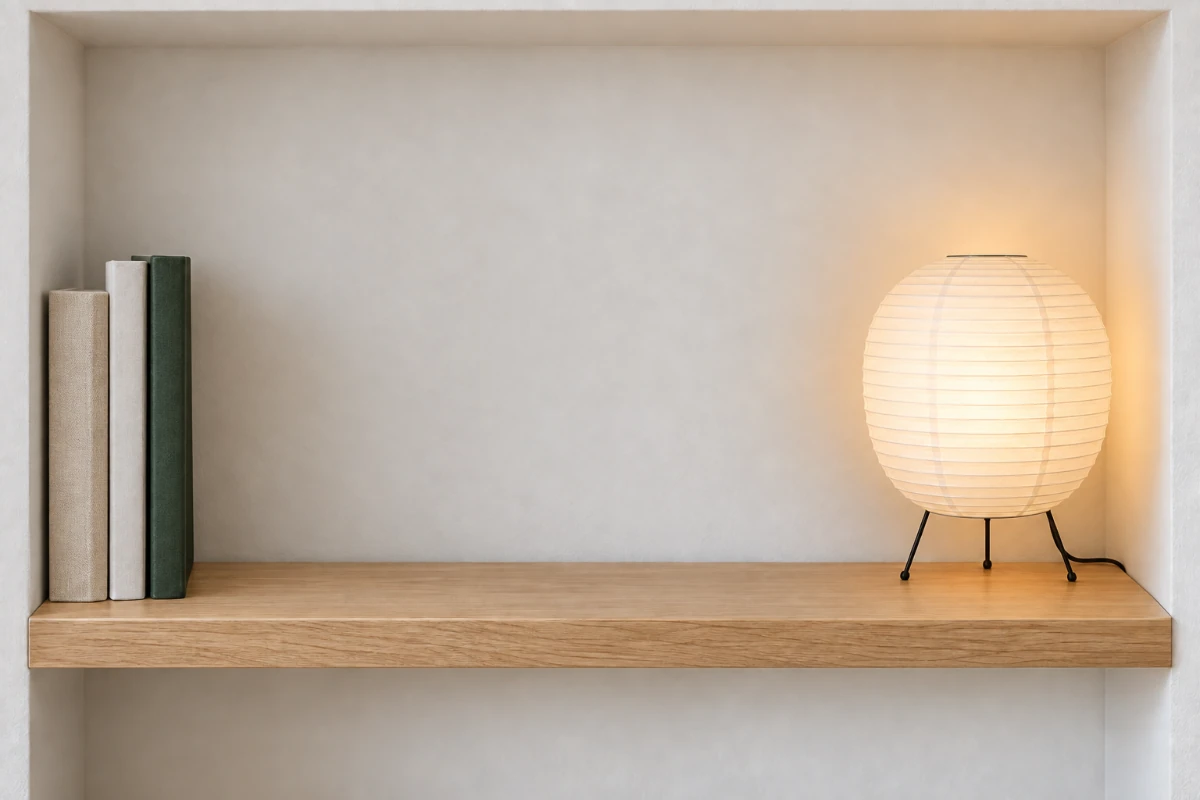
Rearrange the lamp and books while specifying object count and empty space.
Rearrange this niche: move the single paper lamp to the right of the image and all three upright books as a group to the left, leaving space in the center. Preserve the lamp, the three book covers and proportions, oak shelf and niche. Keep the warm lamp light and plausible shadows. Add no objects or text.
Loads the original and prompt. Credits are used when you submit an edit.
Creative scene illustration, not a verified output from this model.
Write a design brief you can check.
Turn this lakeside pavilion photo into blue hour. Preserve the curved roof, number and proportions of the wooden ribs, glazing, central entrance and curving path with their spatial relationships. Use deep blue twilight outside and warm soft interior light with natural glass and water reflections. Add no structures, people or text. Keep the original camera angle.
What to check in the result
Check position, proportion, count, occlusion and lighting. A visual concept can support a design discussion, but it is not a dimensionally accurate construction drawing.
View current credits and image requirements
Current rules and image limits
- Model and access
- Seedream 5.0 · Available · No sign-in required. Use any available model with enough credits.
- Per edit
- 2 credits
- Maximum input
- 10 MiB · PNG, JPEG, WebP
File size, pixel count, edge length and aspect ratio are separate limits. Use a static PNG, JPEG or WebP; GIF and animated images are not supported by the editor.
Photos that already meet the model's requirements are sent as they are; others may be converted once to a format the model accepts. The result comes back in the model's own format and size, which may differ from your original. Background replacement does not create a transparent cutout. Photo restoration may reconstruct details.
Browsing and loading examples do not spend editing credits. A technical failure returns the credits charged for that attempt; a delivered result you dislike is not a technical failure. Check pending returns in the editor.
Current allowances · Getting started · Writing editing instructions
Before you start
Seedream 5.0 Pro
Does a sketch need to be polished?
Clear outlines, objects and spatial relationships matter most. Explain lines and annotations in the prompt to reduce ambiguity. Upload one image per edit.
How should I describe position and count?
Use the image as the reference: “one lamp on the left of the image, three upright books on the right.” Count the objects in the result; instruction understanding is not a guarantee.
Can I export dimensions or layered files?
This entry point does not produce engineering layers or dimension data. It returns a flattened image for visual exploration. Fine text and exact consistency still need review.
When are credits used?
Selecting a model is free. The current edit cost appears in the editor. Credits are held when a task is accepted and settled on delivery; failed edits follow the credit return process.