Edit photos with Nano Banana 2.1
Change the time of day, the light or the mood of a photo while the objects in it stay where they are.
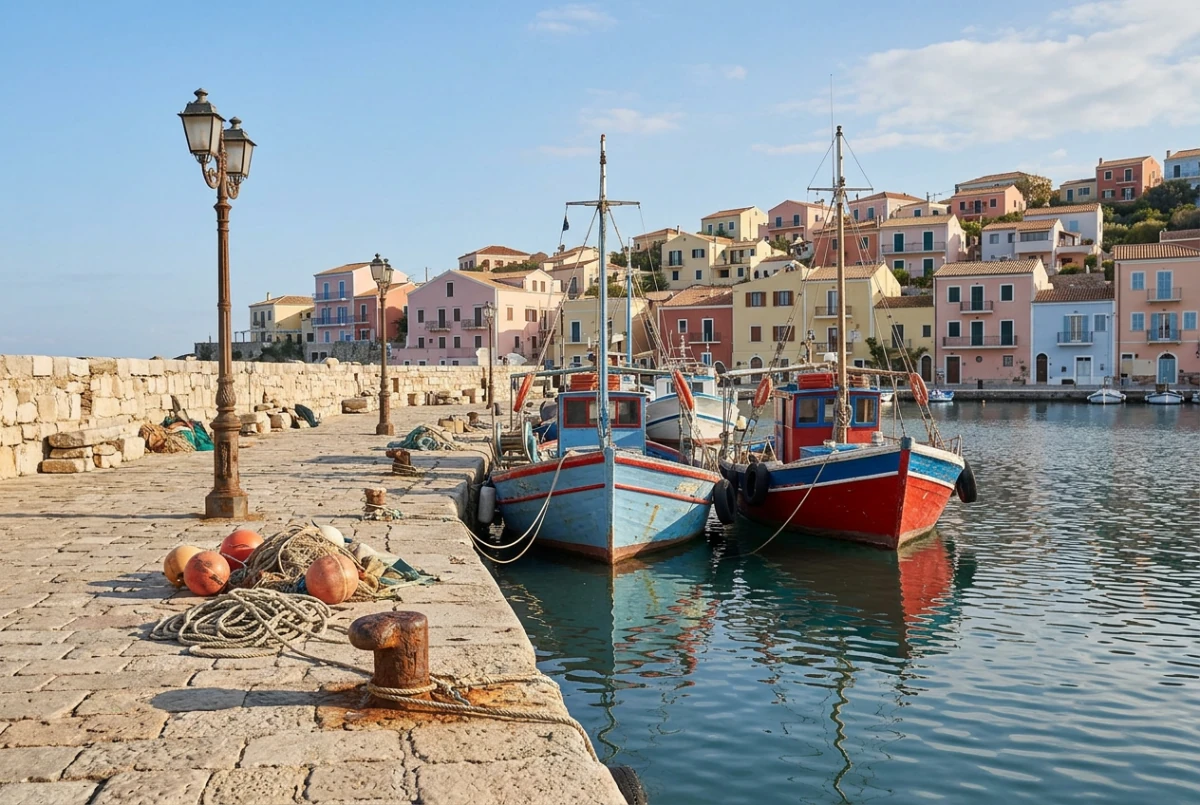
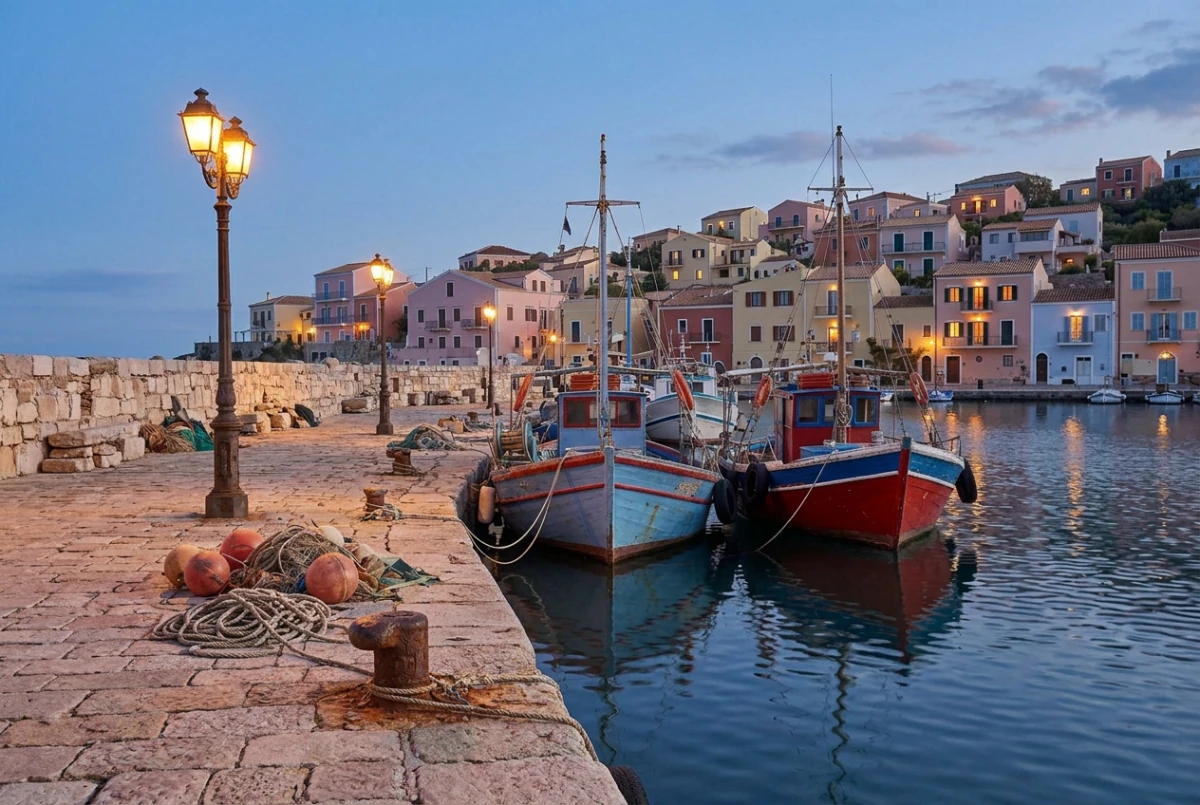
Actual Nano Banana 2.1 edit in PicOnTap. The original image is AI-generated.
Change the light, keep the scene
Nano Banana 2.1 works well when you change the time of day, the light or the mood of a photo and want the objects in it to stay put. This harbor edit is a real result from PicOnTap.
Check what should not have moved
- The lamps were off in the original and the prompt asked to switch them on. Check that each post keeps its shape and position.
- Compare hull colors, masts and the stripes along each boat. Only the light on them should change.
- Small objects are where lighting edits often slip. Count the buoys and follow the coiled ropes on the quay.
Pick a light, then name what stays
Choose a direction to see how the prompt is built. Describe the light first, then the objects that must not change.
Golden hour
Use warm late-afternoon light with a low sun and a soft amber tone.
These choices help you write a prompt. They do not submit tasks or generate new results.
Prompt built from your choice
Change the light in this photo. Use warm late-afternoon light with a low sun and a soft amber tone. Keep every object, its shape and its position unchanged. Add no people or text.
Try the approach on different images
Each case has its own original and prompt. Try one, then adjust the instructions.
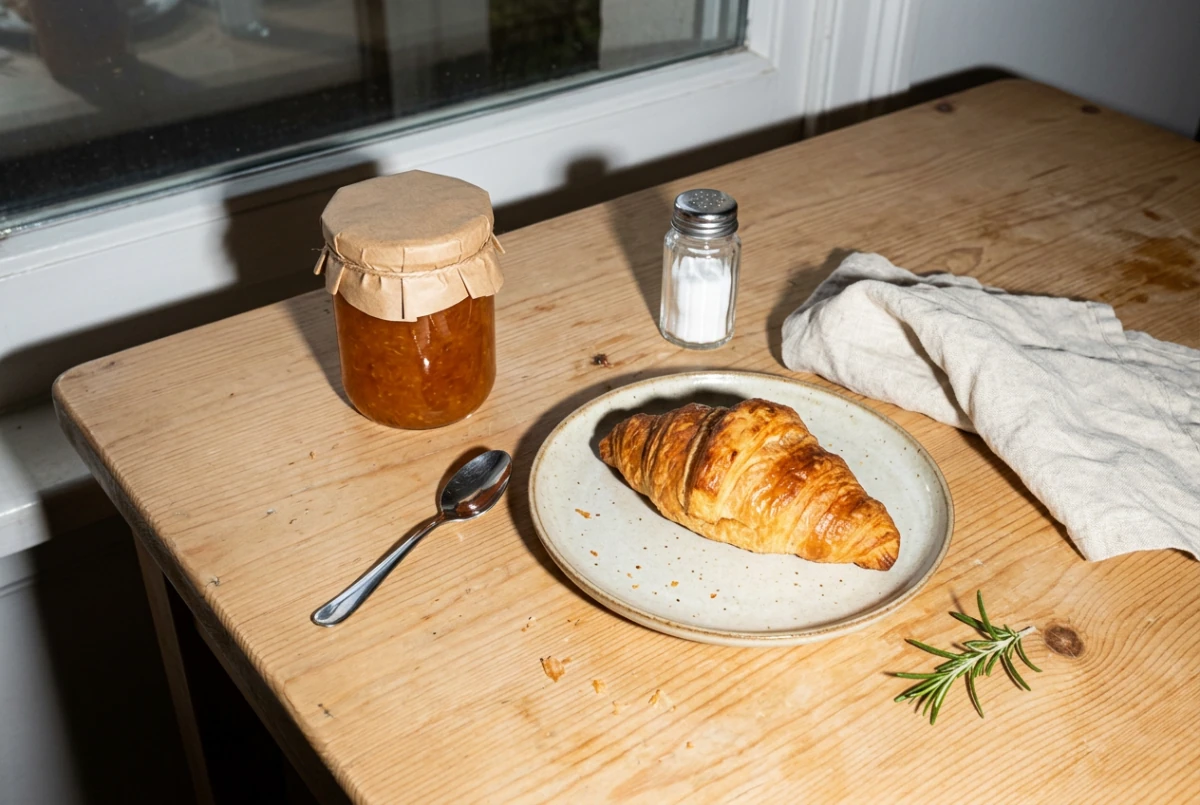
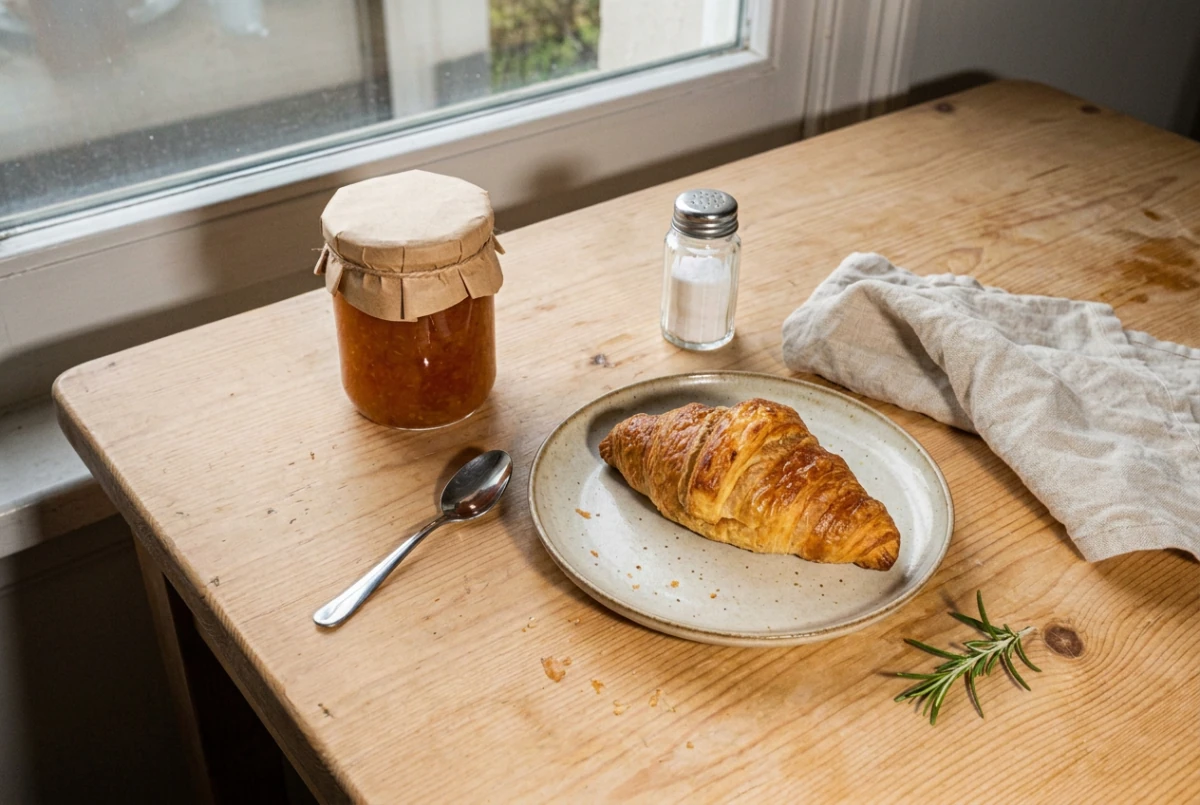
Replace harsh flash with soft window light
Remove hard flash shadows from a breakfast snapshot and keep the food and objects as they were.
Replace the harsh camera flash with soft, diffused morning light from the window and remove the hard flash shadows. Keep the croissant, the jam jar and its paper lid, the salt shaker, the spoon, the napkin and the rosemary unchanged in shape and position.
Loads the original and prompt. Credits are used when you submit an edit.
Actual Nano Banana 2.1 edit in PicOnTap. The original image is AI-generated.
Where it fits
Food and product photos taken with harsh flash, travel shots you would like at a different hour, and listings that need one consistent mood. The instruction applies to the whole image at 1K, so start from a photo whose framing already works.
What to check in the result
Switch between the result and the original at the same zoom. Check the small objects, edges and colors you asked to keep, not only the overall mood.
View current credits and image requirements
Current rules and image limits
- Model and access
- Nano Banana 2.1 · Available · No sign-in required. Use any available model with enough credits.
- Per edit
- 2 credits
- Maximum input
- 10 MiB · PNG, JPEG, WebP
File size, pixel count, edge length and aspect ratio are separate limits. Use a static PNG, JPEG or WebP; GIF and animated images are not supported by the editor.
Photos that already meet the model's requirements are sent as they are; others may be converted once to a format the model accepts. The result comes back in the model's own format and size, which may differ from your original. Background replacement does not create a transparent cutout. Photo restoration may reconstruct details.
Browsing and loading examples do not spend editing credits. A technical failure returns the credits charged for that attempt; a delivered result you dislike is not a technical failure. Check pending returns in the editor.
Current allowances · Getting started · Writing editing instructions
Before you start
Nano Banana 2.1
Is this Nano Banana 2.1 or the Beta?
This page uses Nano Banana 2.1. Nano Banana (Beta) keeps its own page. Each costs 2 credits per edit, and you can switch models in the editor.
Can I edit only a selected area?
No. Nano Banana 2.1 applies the instruction to the whole image, so selections are turned off for this model. Say in the prompt what must stay unchanged, or switch to GPT Image 2.5 for a local edit.
What size and format do I get back?
About one megapixel (1K) as PNG, in the model’s own size close to your photo’s proportions. You can keep the original framing or choose one of nine preset ratios. Results carry Google’s invisible SynthID watermark.
When are credits used?
Selecting a model is free. The current edit cost appears in the editor. Credits are held when a task is accepted and settled on delivery; failed edits follow the credit return process.