AI Christmas Photo Generator from Your Own Photo

Add a Santa hat, a Christmas background or a card border to your own photo, then compare it with your original.

JPG, PNG, WebP · Up to 10 MB

Pick a Christmas look
What this tool does
  • Adds the Christmas look you pick
  • Asks the model to keep faces, pose and framing
  • The sweater look redraws people, so faces can change.
Resolution
1K

Loading…

Examples
Interactive example
The same family photo with the Christmas look: Santa hat
Pick a look to see it. Real edits of an AI-generated photo.Santa hatThe same photo after one edit

AI Christmas Photo Examples from Real Edits

Six real results from the looks in this tool, mostly on the same family photo, so you can see what each AI Christmas photo look changes. Load one into the editor, or upload your own photo above.

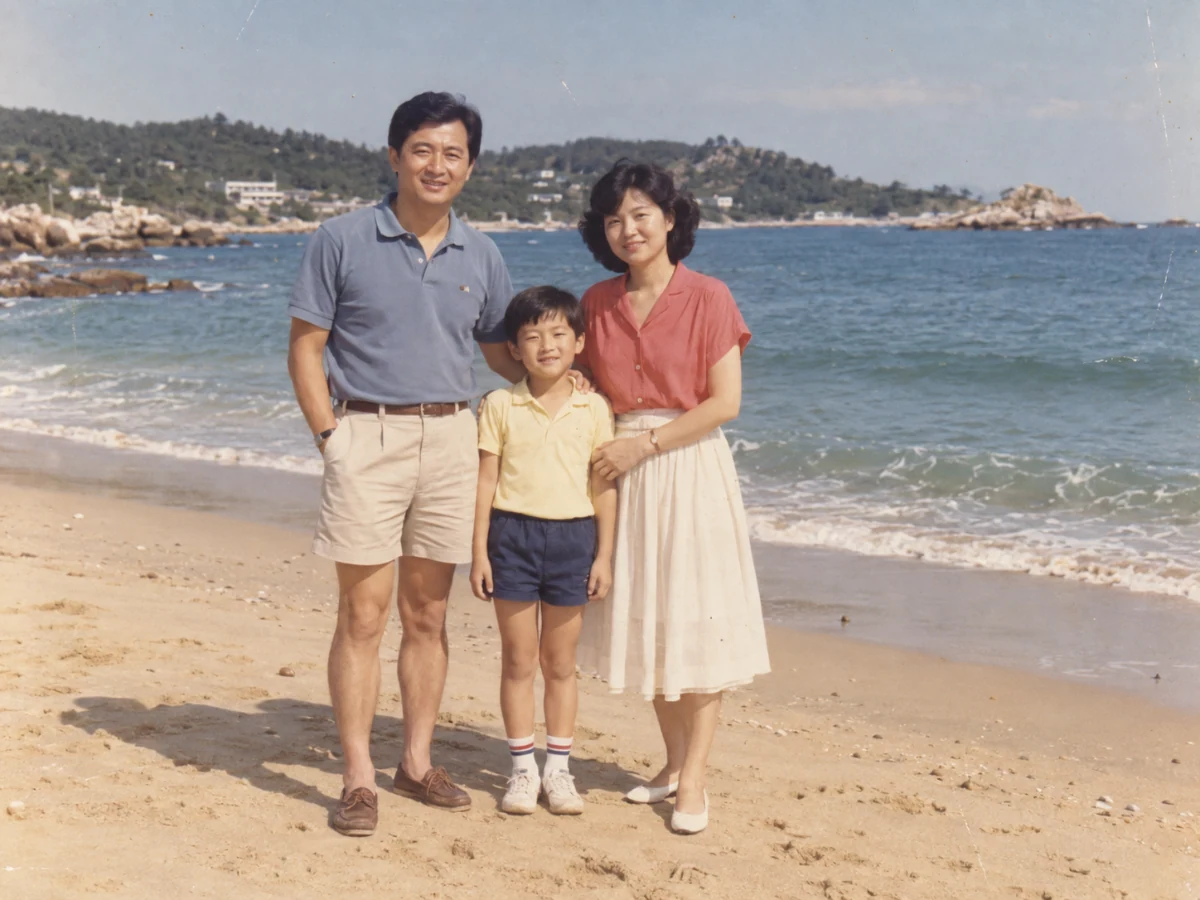
A family of three standing on a sunny beach in a faded 1980s-style photo.
Original
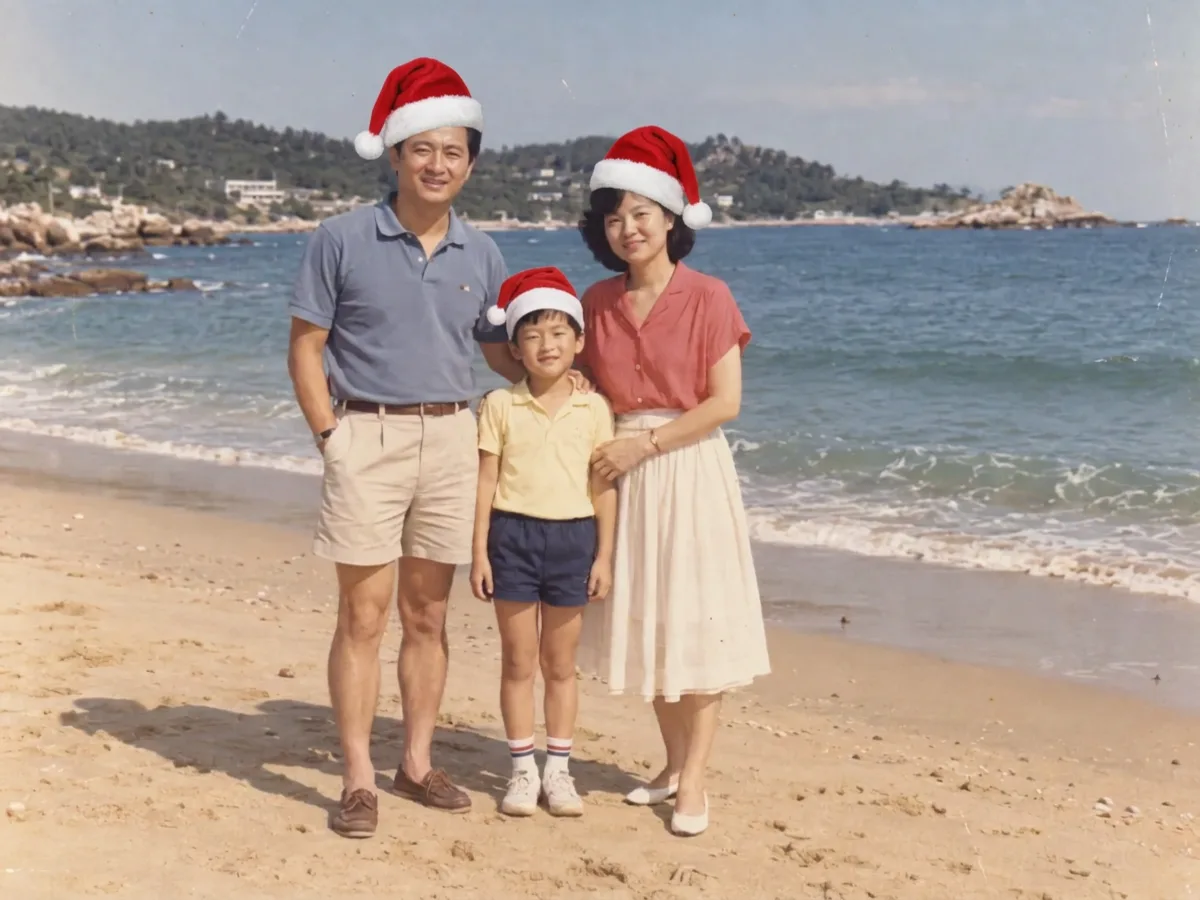
The same beach family photo with a red Santa hat on the father, mother and son.
Result

Santa hat only

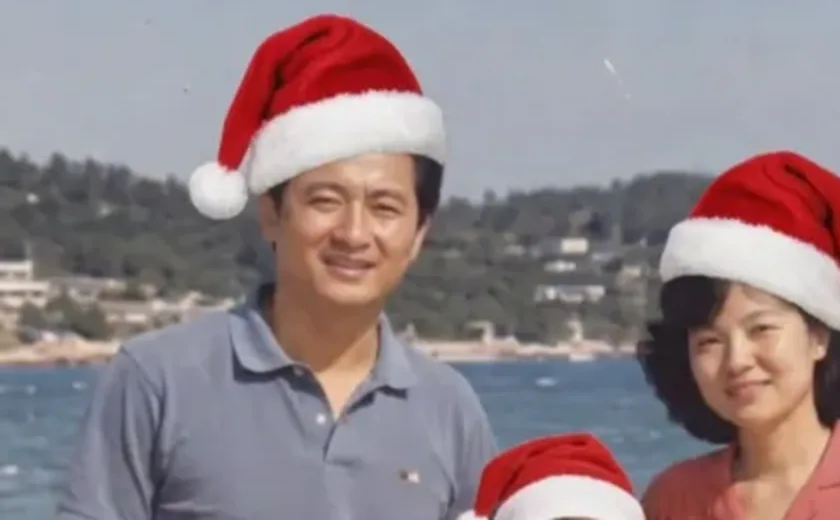
The hats sit naturally on all three heads. The beach, clothes and poses did not change; up close, the father's smile looks slightly different.

Add a red Santa hat to each person or pet in the photo. Keep every face, expression, hair, clothes, pose, background and the framing exactly the same.

A family of three standing on a sunny beach in a faded 1980s-style photo.
Original
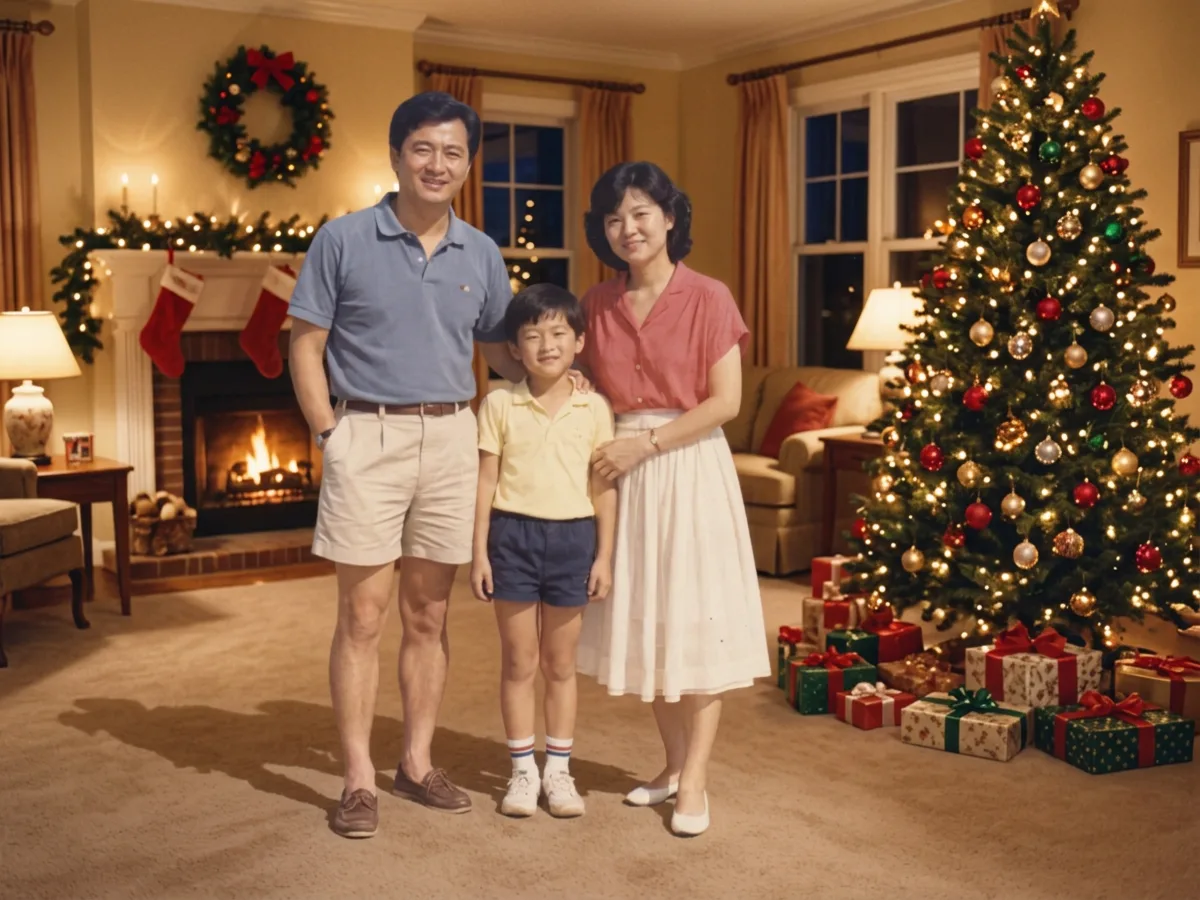
The family standing in a living room with a fireplace, stockings and a lit Christmas tree.
Result

Christmas room background

The beach became a living room with a fireplace and a lit tree. The family kept their clothes, pose and faces.

Replace only the background with a living room decorated for Christmas, with a lit Christmas tree and warm string lights. Keep the people and pets exactly as they are: same faces, expressions, clothes, pose and framing.

A family of three standing on a sunny beach in a faded 1980s-style photo.
Original
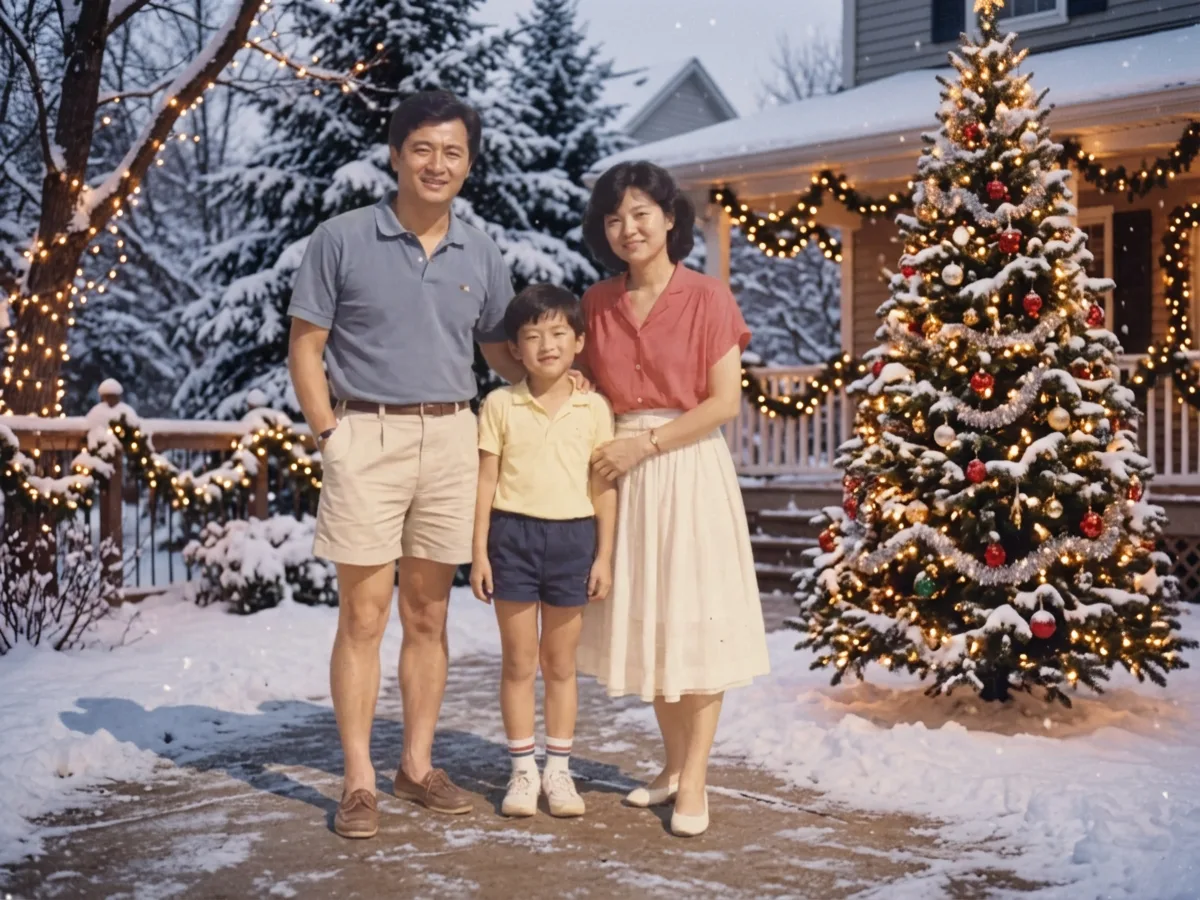
The family standing on a snowy path in front of a house with a lit Christmas tree.
Result

Snowy Christmas background

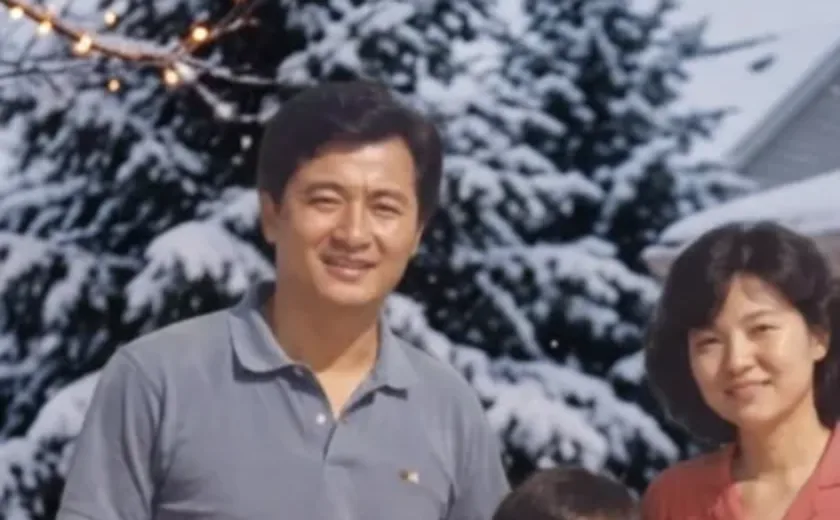
Faces stayed closest to the original here. The catch: summer clothes in the snow look out of place, so pick the room for summer photos.

Replace only the background with a snowy Christmas scene with a decorated Christmas tree and warm string lights. Keep the people exactly as they are: same faces, expressions, clothes, pose and framing.

A family of three standing on a sunny beach in a faded 1980s-style photo.
Original
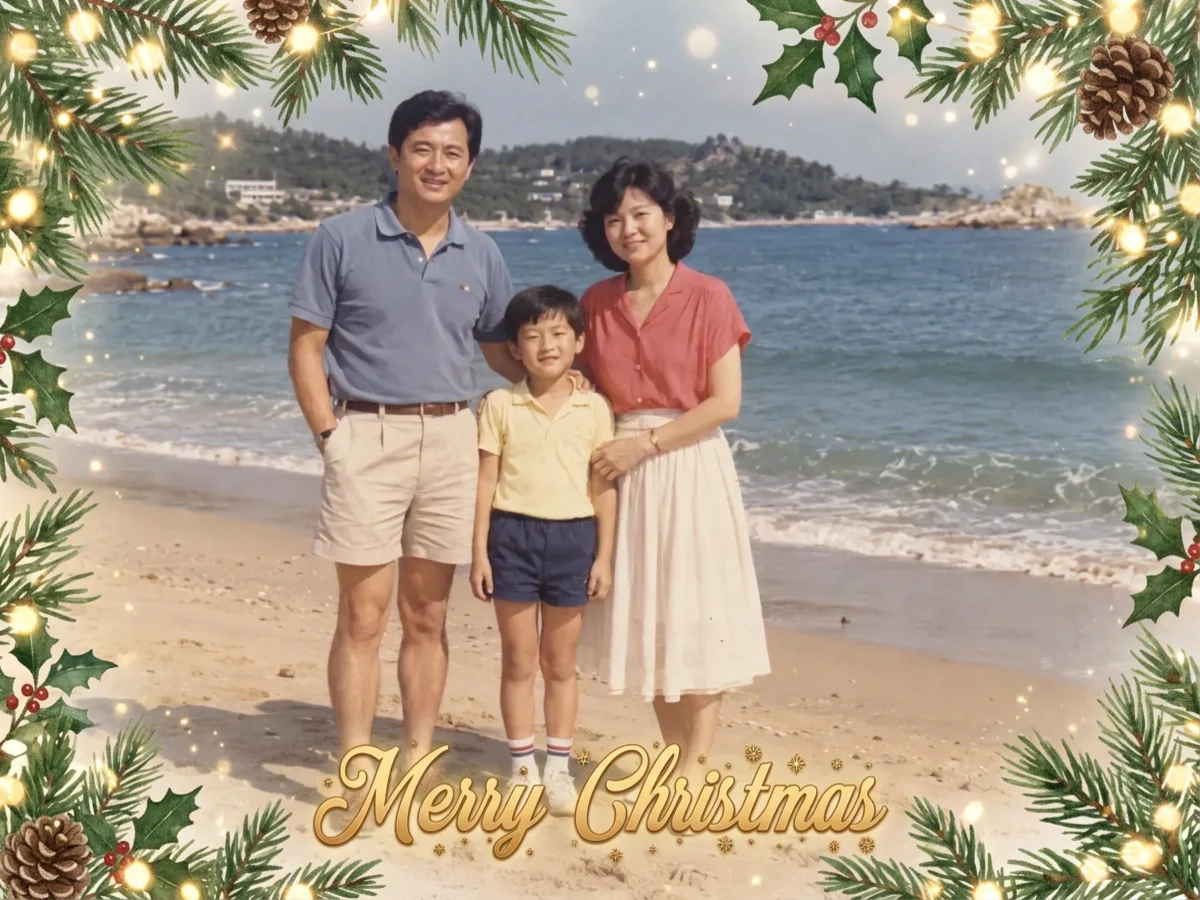
The beach family photo framed with pine branches, holly and lights, with gold Merry Christmas lettering.
Result

Christmas card

The border and the gold "Merry Christmas" came out clean and correctly spelled, but the lettering covered the boy's feet.

Turn this photo into a Christmas card: add a soft festive border of pine branches and warm lights, and the words "Merry Christmas" at the bottom. Keep everyone's face, expression, clothes and pose exactly the same.

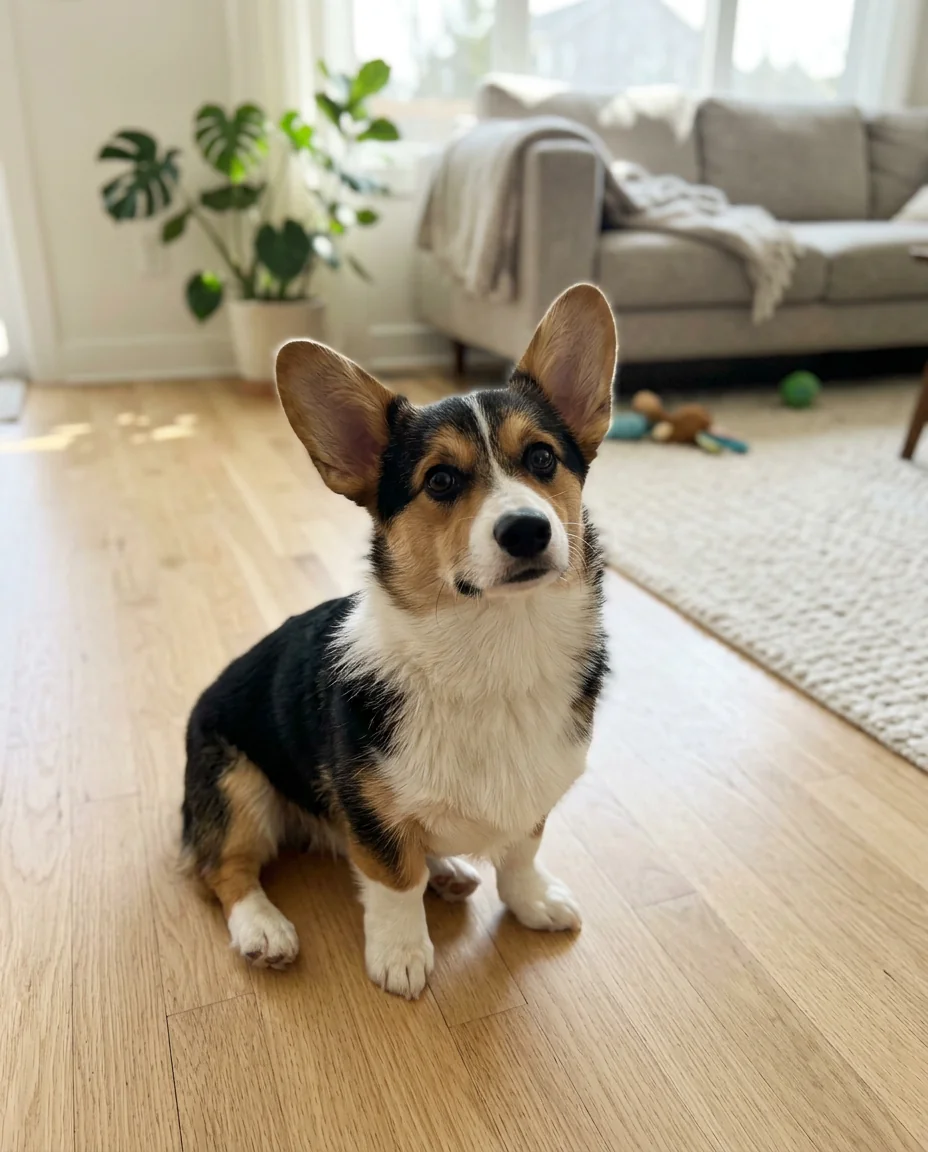
A tricolor corgi sitting on a wooden floor in a bright living room.
Original
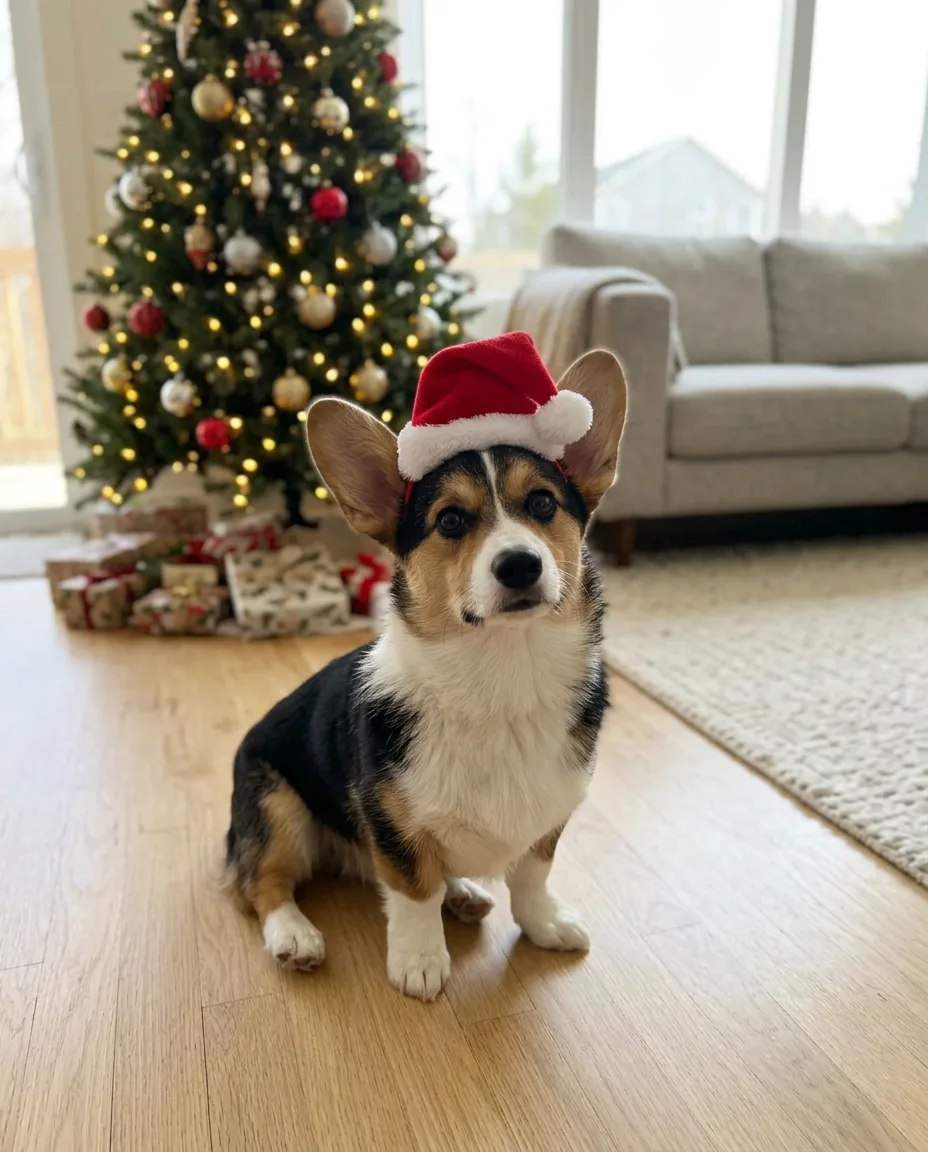
The corgi wearing a small red Santa hat in front of a lit Christmas tree and presents.
Result

Corgi with a Santa hat

The hat fits between the ears and the corgi looks the same. This run also asked for a tree, so the plant and toys behind it became a tree and presents; the Santa hat look on its own leaves the background as it is.

Turn this into a Christmas photo: put a small red Santa hat on the dog and add a decorated Christmas tree with warm lights in the background. Keep the dog's face, fur, pose and the framing exactly the same.

A family of three standing on a sunny beach in a faded 1980s-style photo.
Original
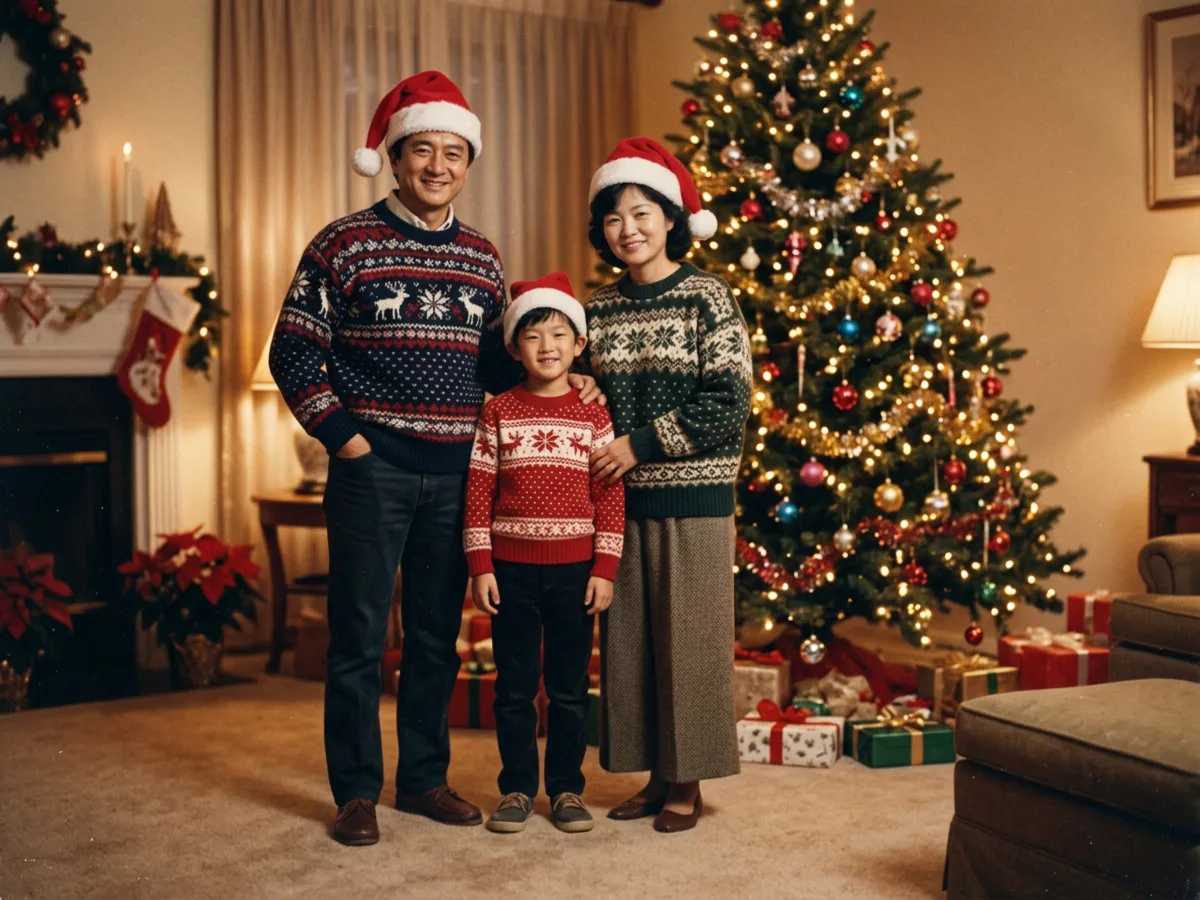
The family in Christmas sweaters and Santa hats in a living room, with visibly different faces.
Result

Sweaters and hats: faces change

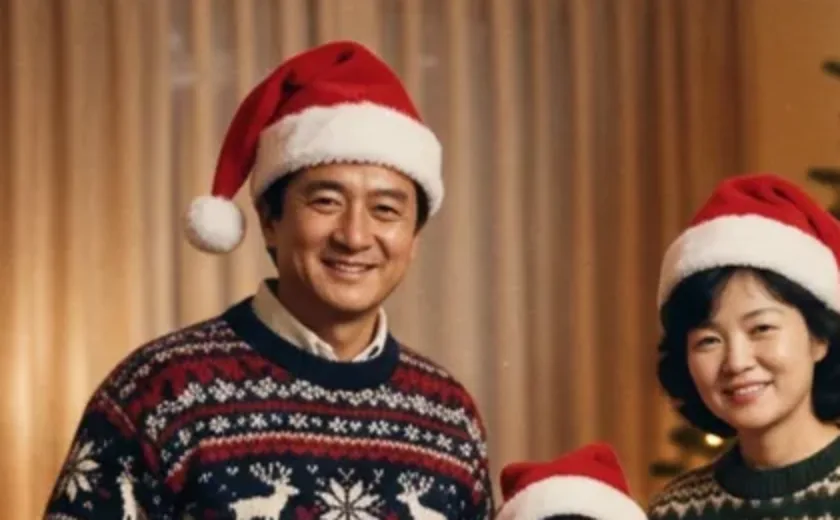
The most festive picture, but all three faces were redrawn and the father looks like a different man. Fine for fun, not for a family card.

Turn this into a Christmas family photo: give each person a red Santa hat and a cozy Christmas sweater, and put them in front of a decorated Christmas tree with warm lights. Keep every face, expression, pose and the framing exactly the same.

Each result is a single run on Nano Banana 2.1 at 1K, made on November 12, 2026. The family and the corgi are AI-generated photos, not real people or customer uploads. The Christmas room result was made with the Chinese version of its preset.

Will an AI Christmas Photo Keep Our Faces?

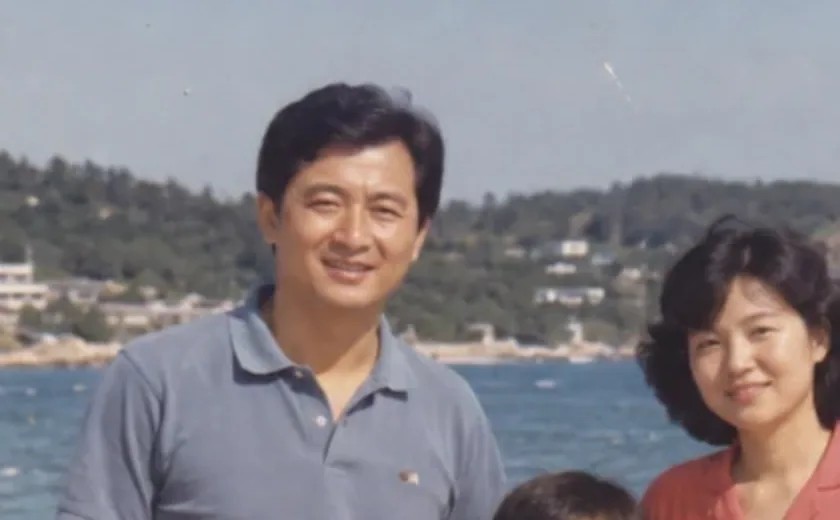
It depends on how much you ask it to change. Here is the same crop of the parents after three looks. Adding a hat or swapping the background left the faces close to the original. Asking for new sweaters as well made the model redraw the people, and the faces changed.

Close-up of the parents' faces: Original
Original
Close-up of the parents' faces: Santa hat
Santa hat
Close-up of the parents' faces: Snowy background
Snowy background
Close-up of the parents' faces: Sweaters + hats
Sweaters + hats

One run per preset on an AI-generated photo. Real photos, small faces and big groups can come out differently, so zoom in on the faces before you print or send.

How to Make an AI Christmas Photo from Your Own Photo

  1. 1. Upload one photoA clear photo with well-lit faces works best: a selfie, a family picture or your pet. JPG, PNG or WebP up to 10 MB.
  2. 2. Pick a Christmas lookChoose a look under your photo. Add an optional note if you want something specific, like green hats.
  3. 3. Check and downloadCompare the result with your original, zoom in on the faces, then download it or try another preset.

Skip the Long ChatGPT or Gemini Prompt

Last December, the AI Christmas photo trend spread on Facebook and X through long copy-and-paste prompts for ChatGPT and Gemini: upload a selfie, paste a block of text describing a glamorous studio shoot, and hope the face still looks like you. Many of those prompts start by asking the model to treat your photo as a strict face reference, because that is what goes wrong most often.

The looks here are short instructions with that rule built in: say what to add, then say what must stay the same. They edit your photo instead of generating a new portrait, which is why the hat and background looks keep faces closer than a full makeover. Use the optional note for anything extra.

Put a Santa Hat on Your Profile Picture or Pet

The most common request every December is the simplest one: someone wants a Santa hat on their profile picture and doesn't know how to edit. Upload the picture, choose Santa hat and download your AI Christmas photo. It works on people, dogs, cats and drawn characters, and it leaves the rest of the photo alone.

Keep the original aspect ratio for the smallest change. If you need a square profile picture, crop it after downloading.

AI Christmas Photo Generator vs ChatGPT and Canva

ChatGPT and Gemini can turn a selfie into a festive picture, but they often redraw the whole person, and you have to write or find the prompt yourself. Canva is better at laying out a card around a photo you already like than at changing the photo itself.

This page sits in between: upload one photo, pick a look, and the edit runs on Nano Banana 2.1, a Google image model that edits the whole picture. Guests get free daily credits, so you can try it without an account.

Fix an AI Christmas Photo Where Faces Changed or the Hat Looks Fake

  • Change less at once. If faces changed, go back to your original and use Santa hat or a background look instead of sweaters.
  • Say what must stay the same. Every look ends with a line about the faces, expressions and pose for this reason.
  • If the hat looks pasted on, add a note asking it to follow the shape of the head and match the light in the photo.
  • Start from your original photo each time. Editing a result again moves it further from the real faces.

What It Can't Do

  • It can't promise identical faces. Small changes can appear even with the hat look, and full makeovers redraw people.
  • It isn't a studio session. Light and detail come from your original photo, and summer clothes stay summer clothes unless you change them.
  • Text on cards is drawn by the model. Check the spelling and where it lands before you print.
  • Automatic safety checks refuse some photos and requests. If yours is refused, try a different photo.

Tested and updated November 12, 2026
AI Christmas photo questions

Credits and free daily edits are explained on the pricing page.

Is this AI Christmas photo generator free?

Yes, you can start free. Every visitor gets free daily credits without an account, and the editor shows the cost before each edit. PicOnTap adds no watermark to the result.

Do I need to sign up?

No. Upload a photo and edit as a guest within the free daily allowance. Sign in only if you want to buy credits or manage your works.

Can I make an AI Christmas photo on my iPhone or Android phone?

Yes. It works in your phone's browser, so there is no app to install. Upload from your camera roll and save the result to your photos.

Are my photos kept private or used to train AI?

Uploaded photos and results are stored so the editor can run and you can keep working, and signed-in users can delete a work from My works. Whether a model provider may use images for training depends on that provider, and we don't make a blanket no-training promise. If that matters for a photo of your children, read our privacy policy before you upload.

What app is everyone using for AI Christmas photos?

Last year most people used ChatGPT or Gemini with a copied prompt and shared the results on Facebook. This tool gives you the same kind of edit from a ready-made look, in the browser, with the face-keeping instructions already written.

Does it work for pets and Christmas cards?

Yes. The Santa hat look works on dogs and cats, and the Christmas card look works as a simple AI Christmas card generator: it adds a festive border and "Merry Christmas" lettering to your photo. Check the text before printing, since the model draws it.

Is the result good enough to print?

At 1K, our results came back about 1,200 pixels on the long side, fine for phones and small prints. Choose 2K or 4K in the editor for a larger card; it shows the price for each resolution.